Steps grid installation steps in Oracle RAC Setup
- Start with the grid installation software and run the utility
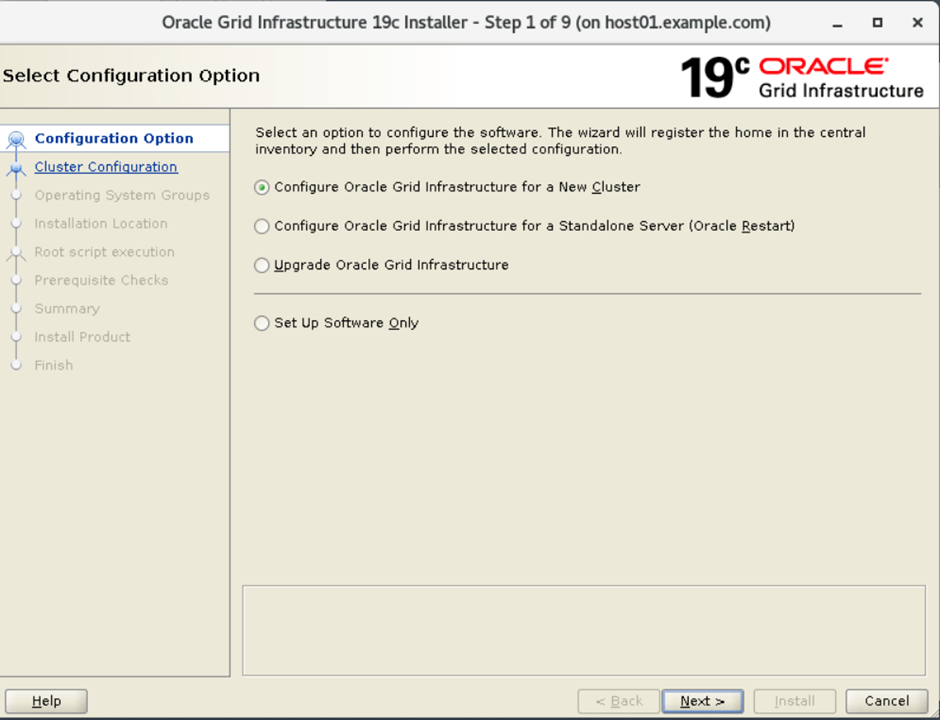
2. Choose the Configure Grid infrastructure for a new cluster and choose the configure an Oracle Standalone Cluster option
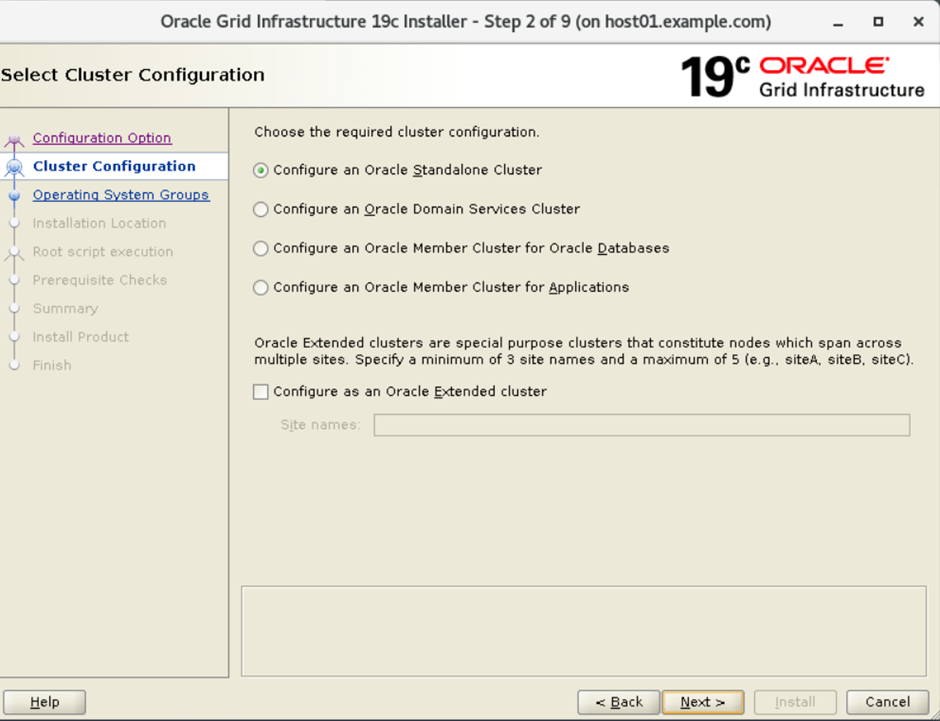
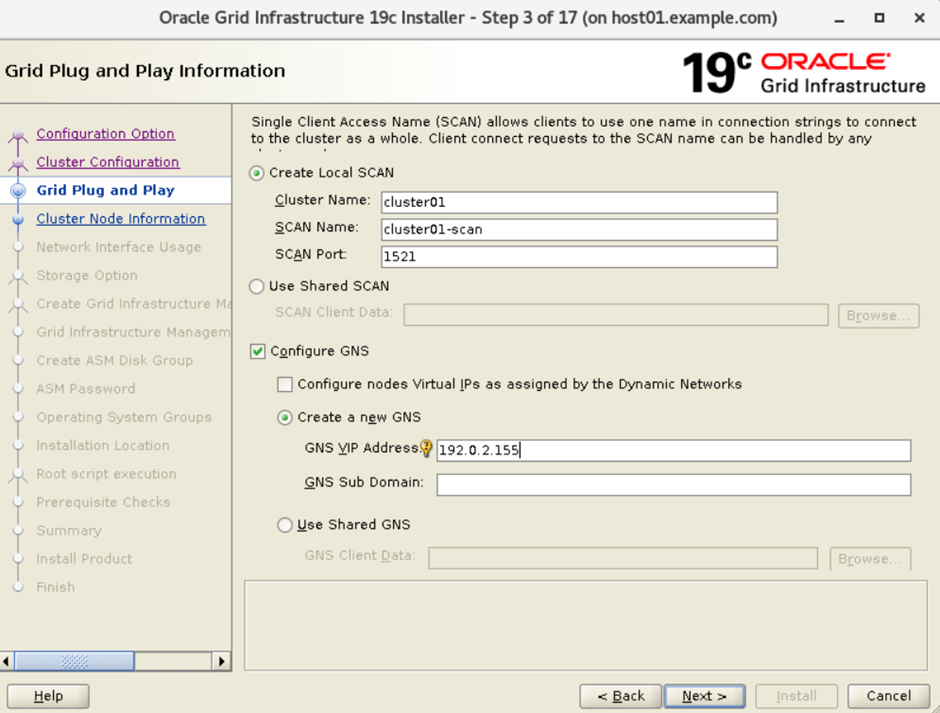
3. Specify the Cluster Name, Scan Name, Scan Port & VIP Address on the Grid plug and play information screen.
4. Cluster Node Information in Oracle
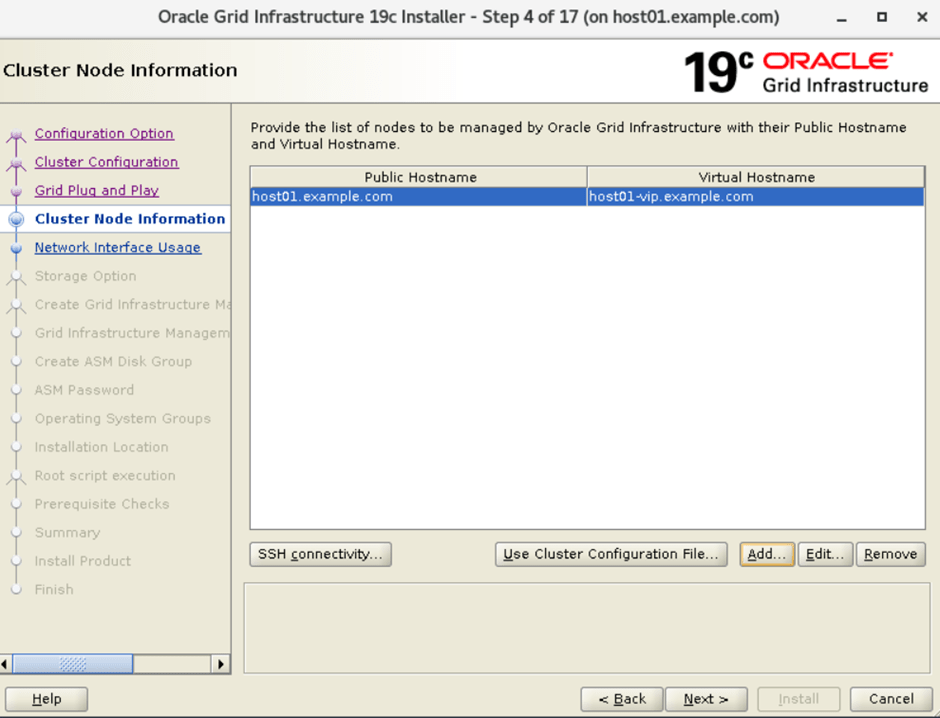
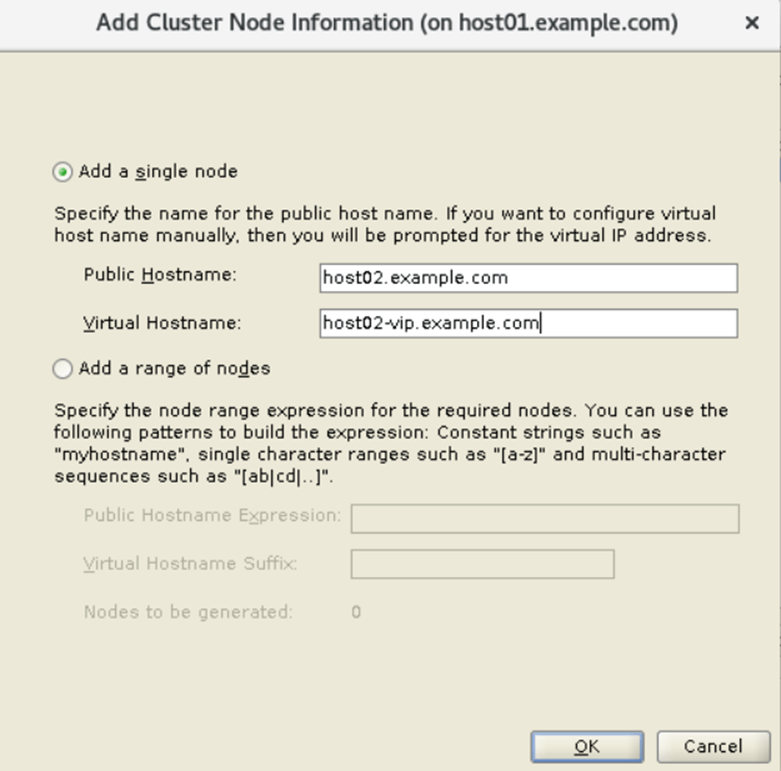
5. Add the other RAC nodes you want to add
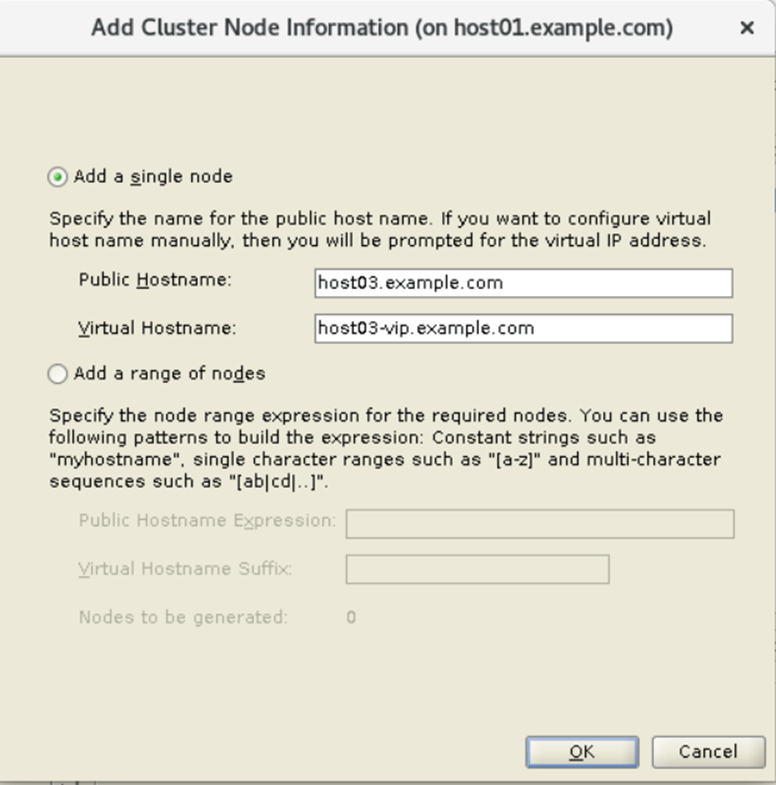
6. Add host03
7. Cluster Node information in Oracle
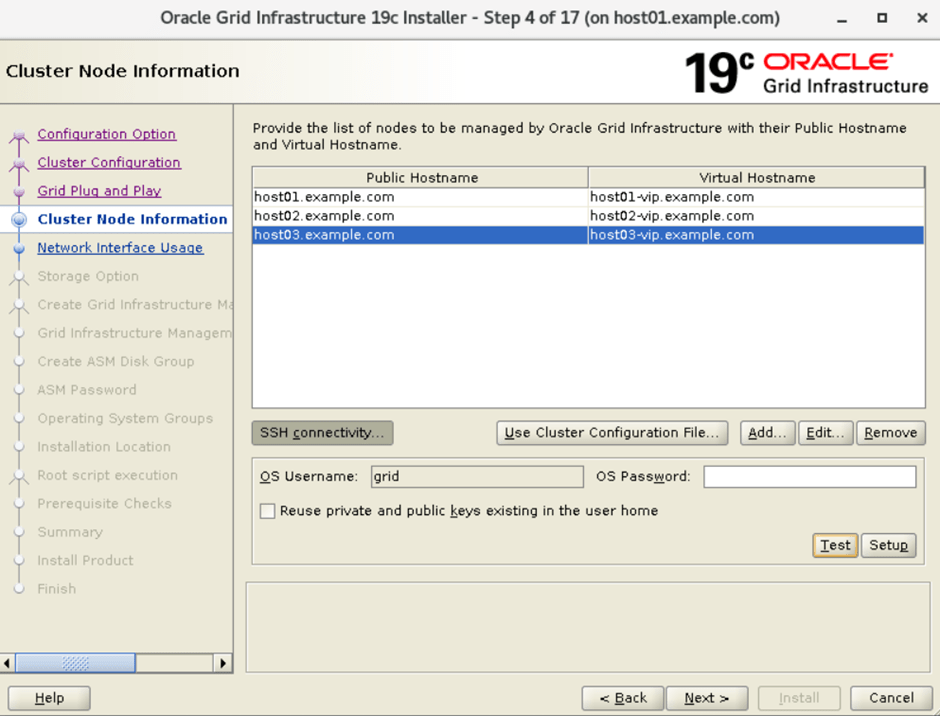
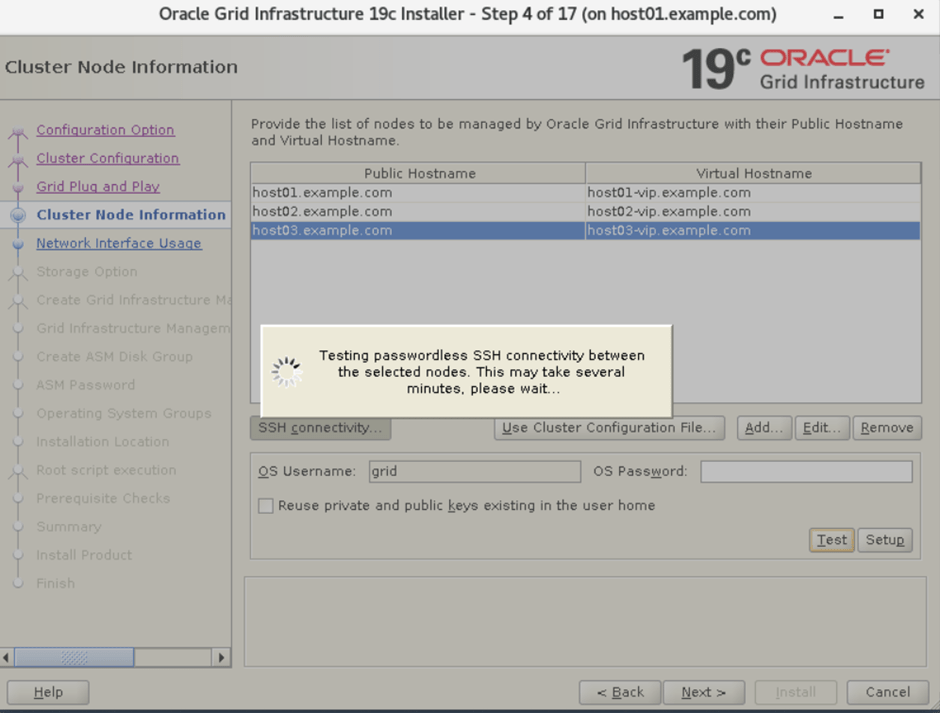
8. Testing SSH connectivity between all nodes: HOST01, HOST02 and HOST03
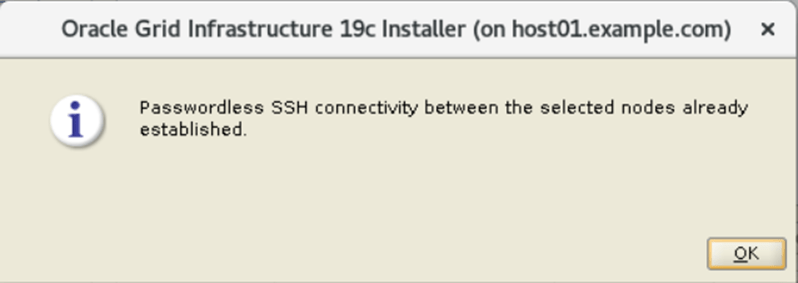
9. SSH connectivity already established on our nodes. So, it means passed.
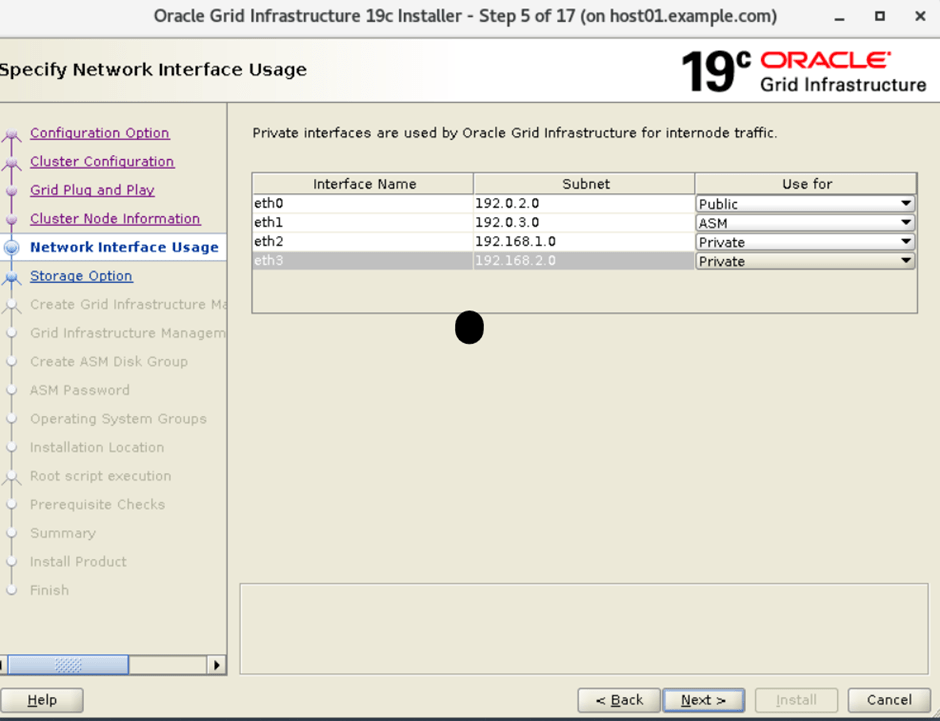
10. Specify Network Interface Usage
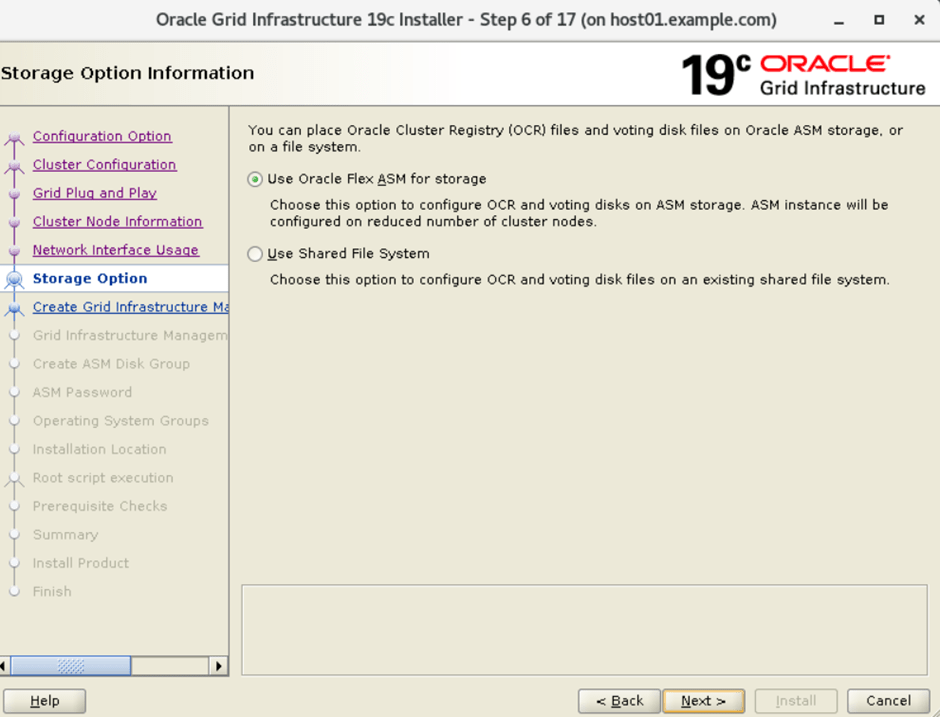
11. Specify the storage option information
12. Create Grid Infrastructure Management Repository
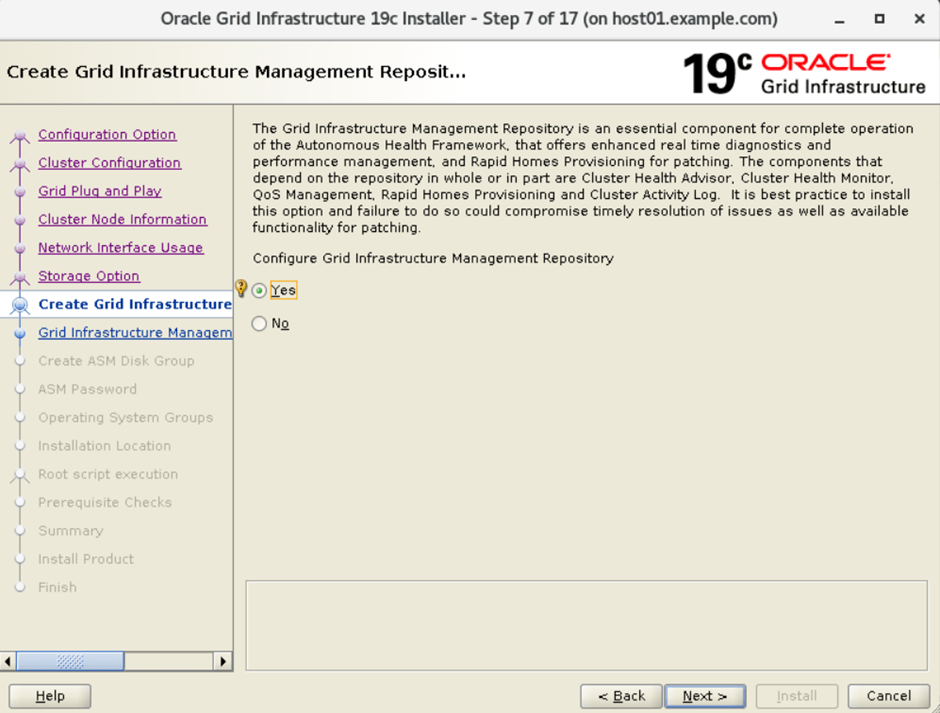
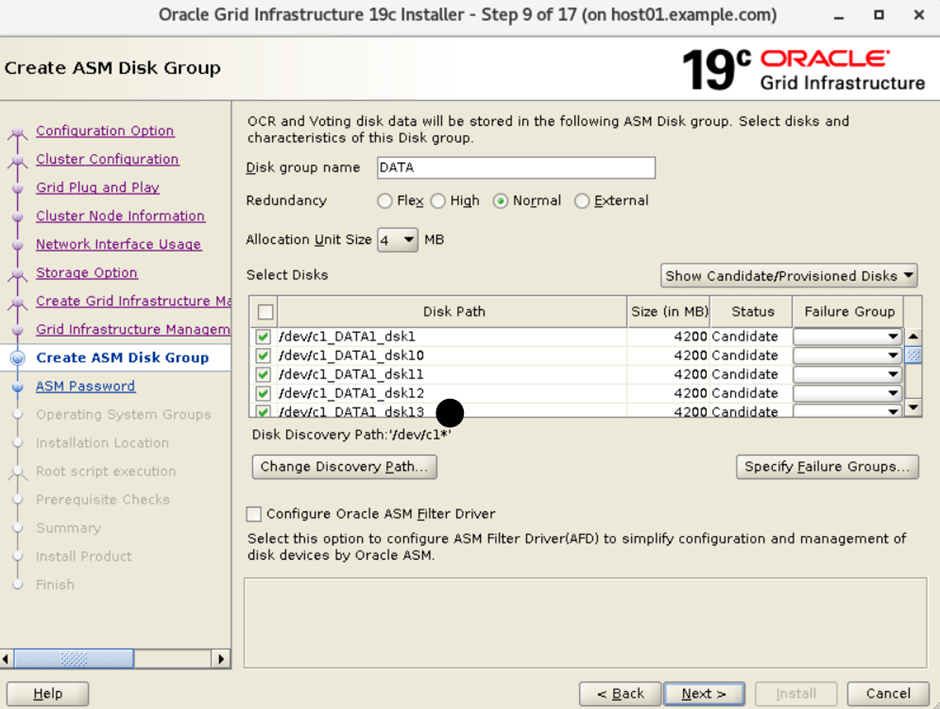
13. Select the data disk group for ASM
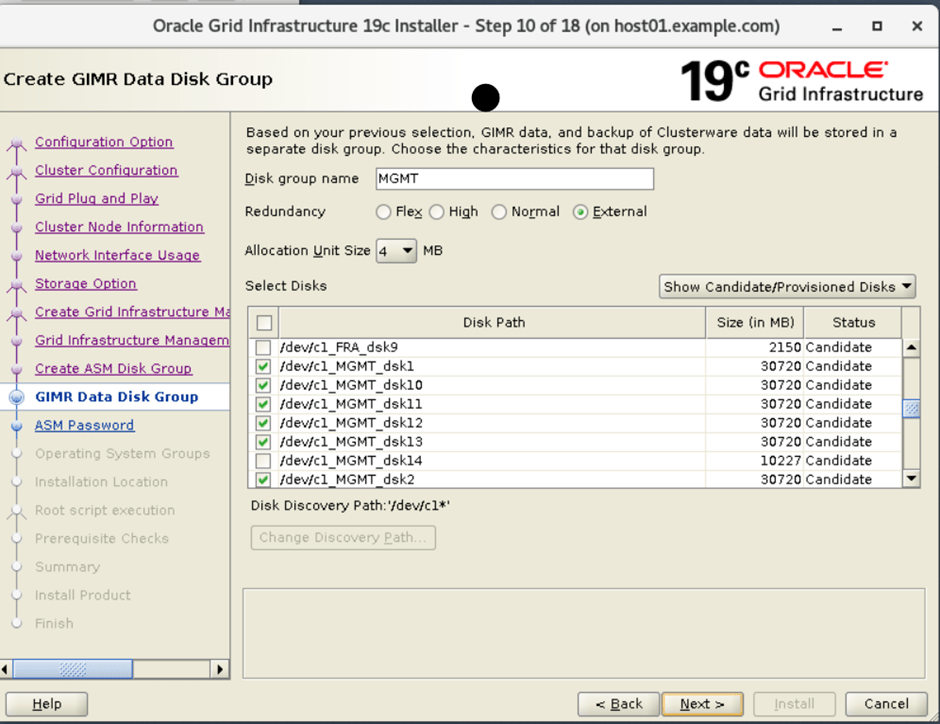
14. Create GIMR data disk group
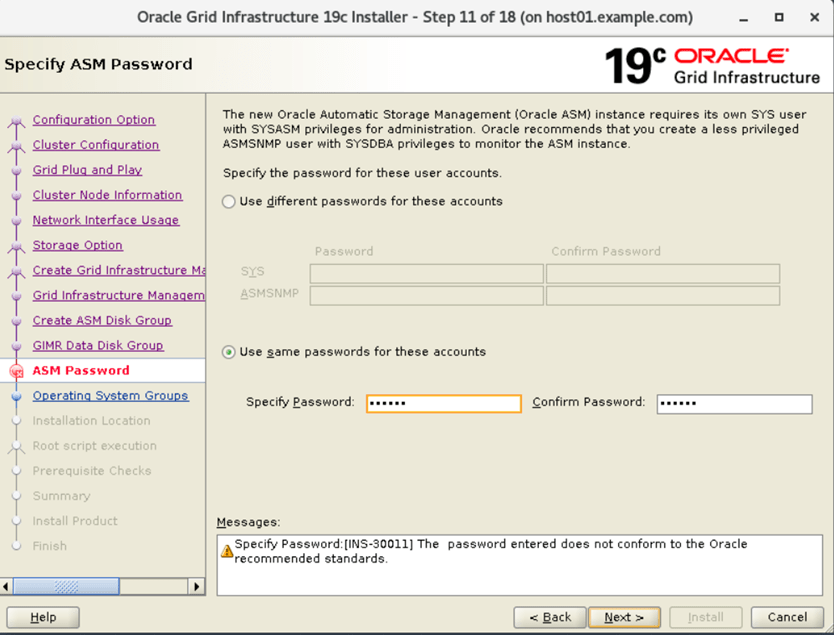
15. Specify the ASM password
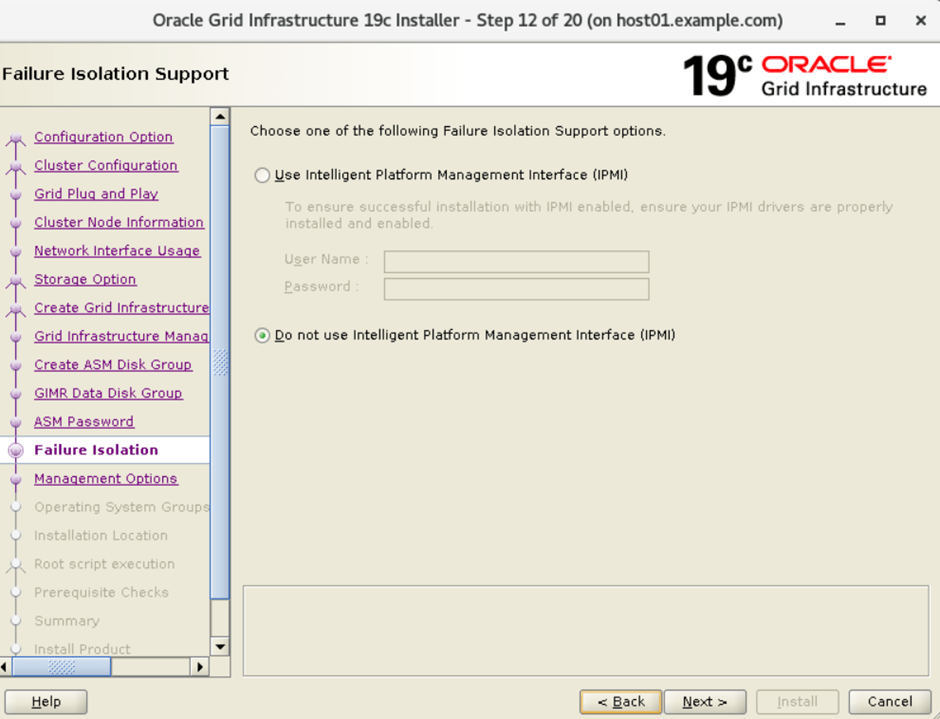
16. Failure isolation solution
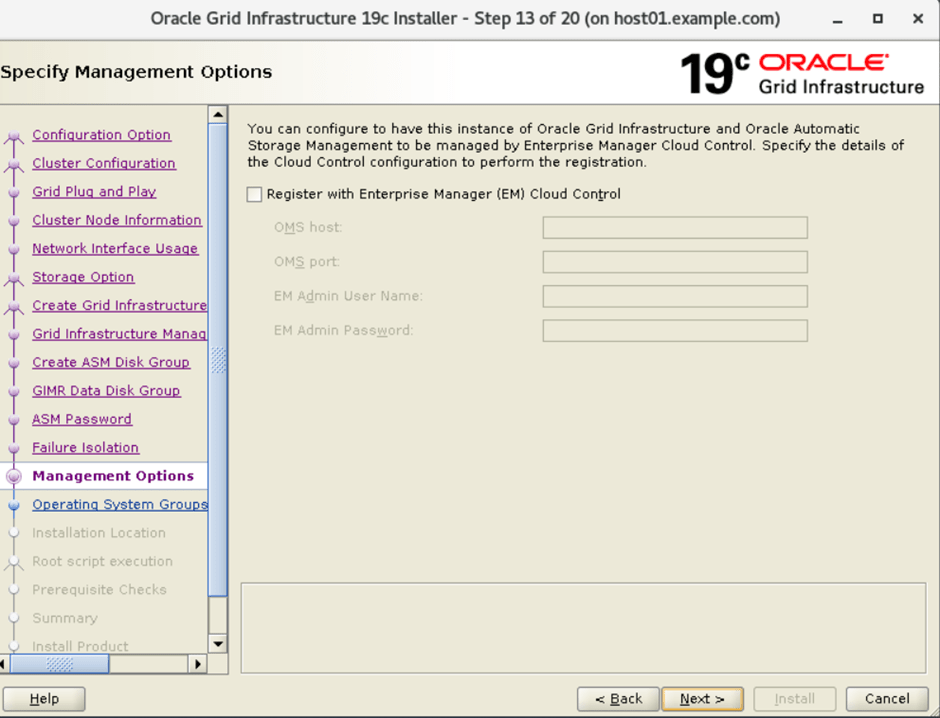
17. Specify Management options
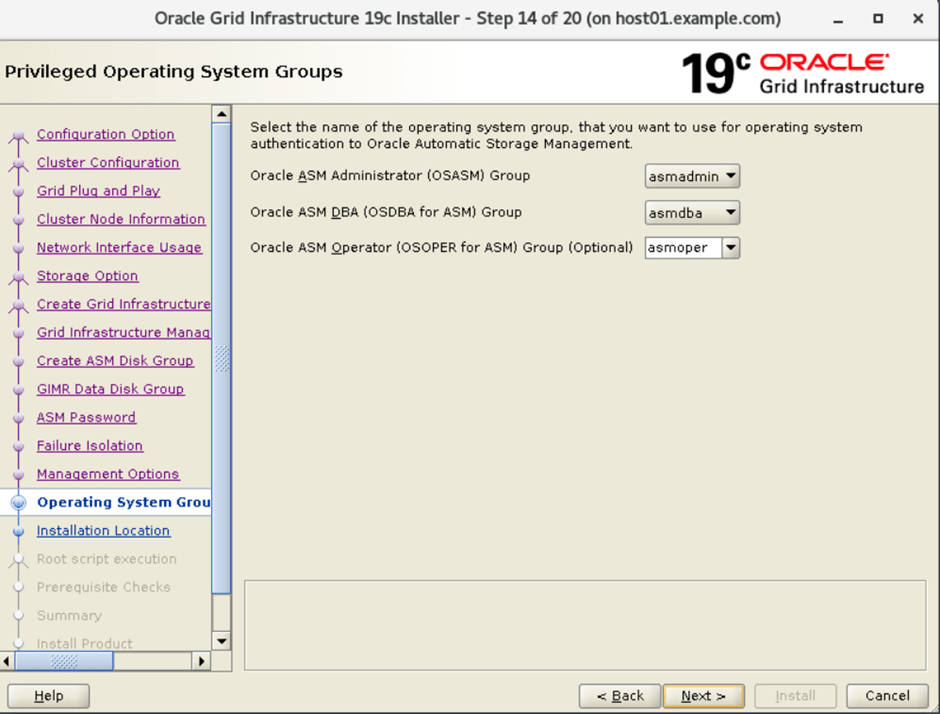
18. Privileged Operating Systems Groups
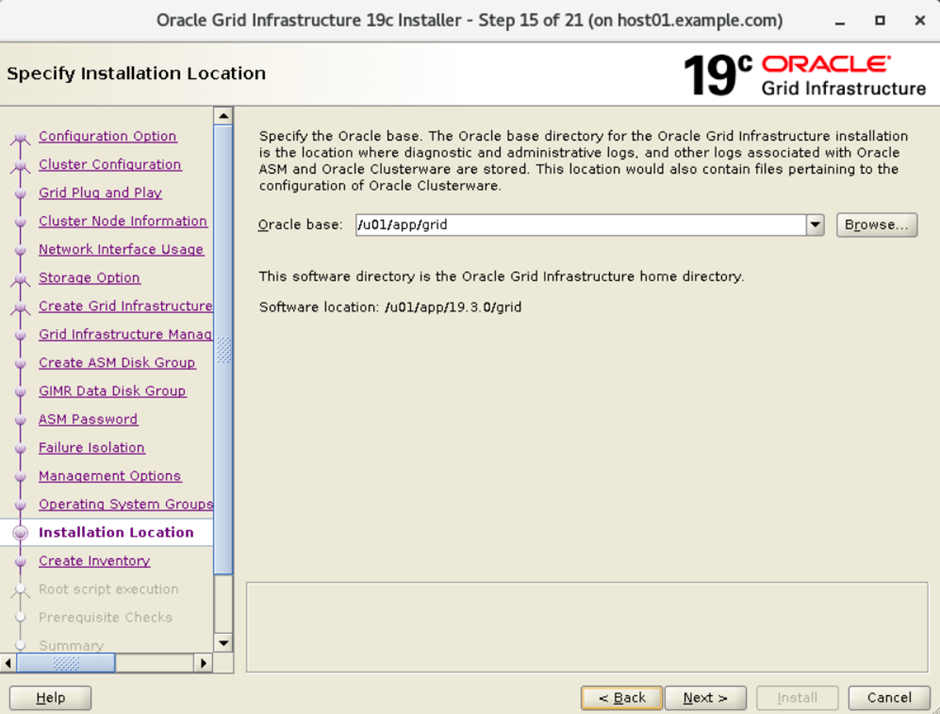
19. Specify installation location for Grid base:
20. Create Inventory and specify the inventory directory location:
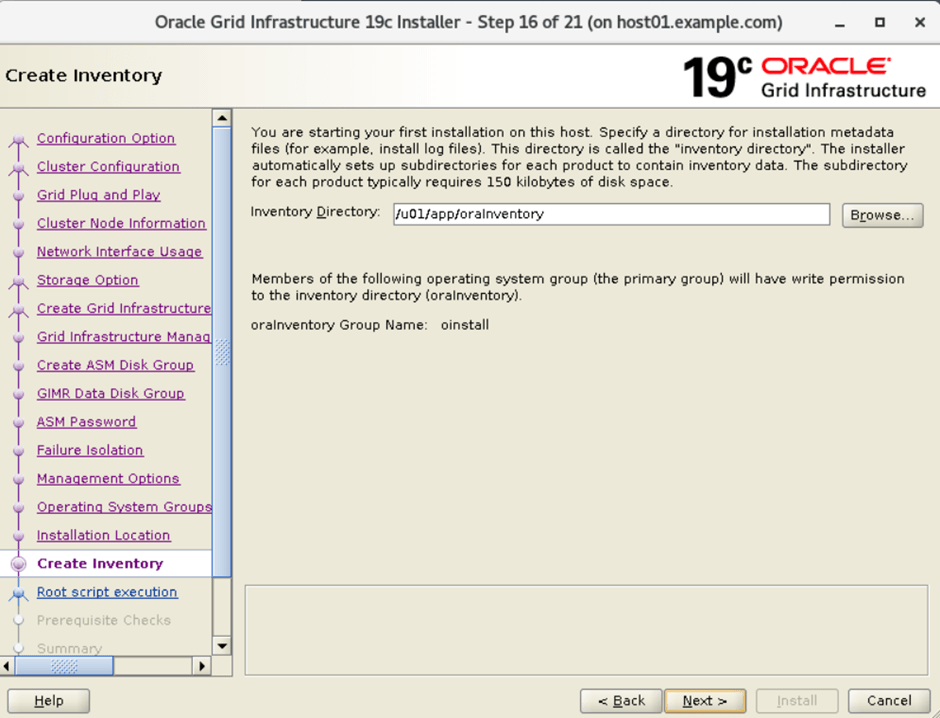
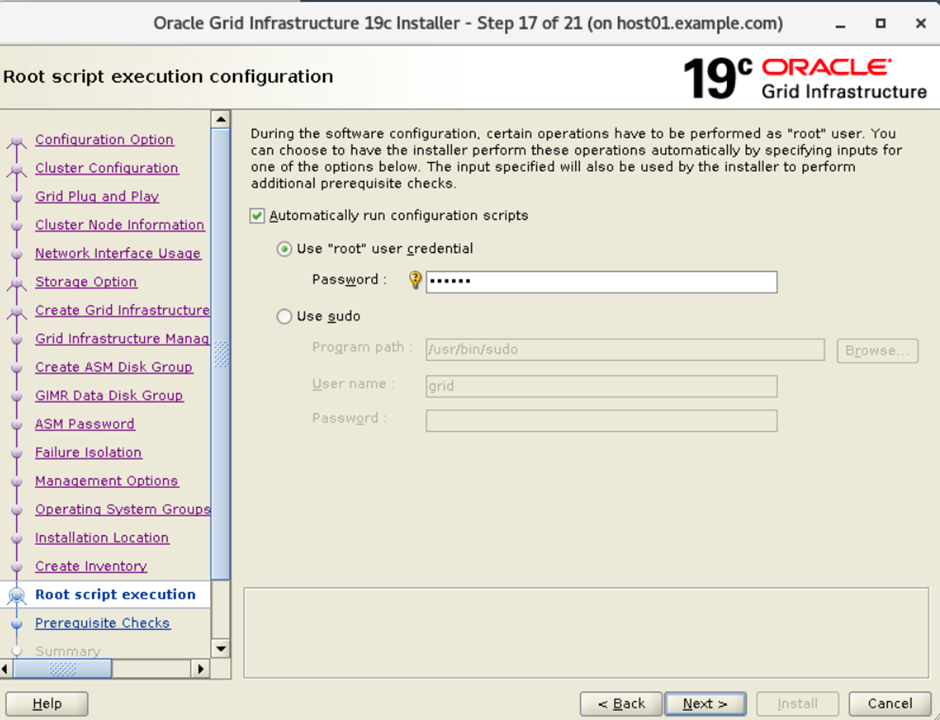
21. Specify the root password for run root.sh script
22. Perform prerequisite checks for database.

23. Install the product of oracle grid infrastructure.
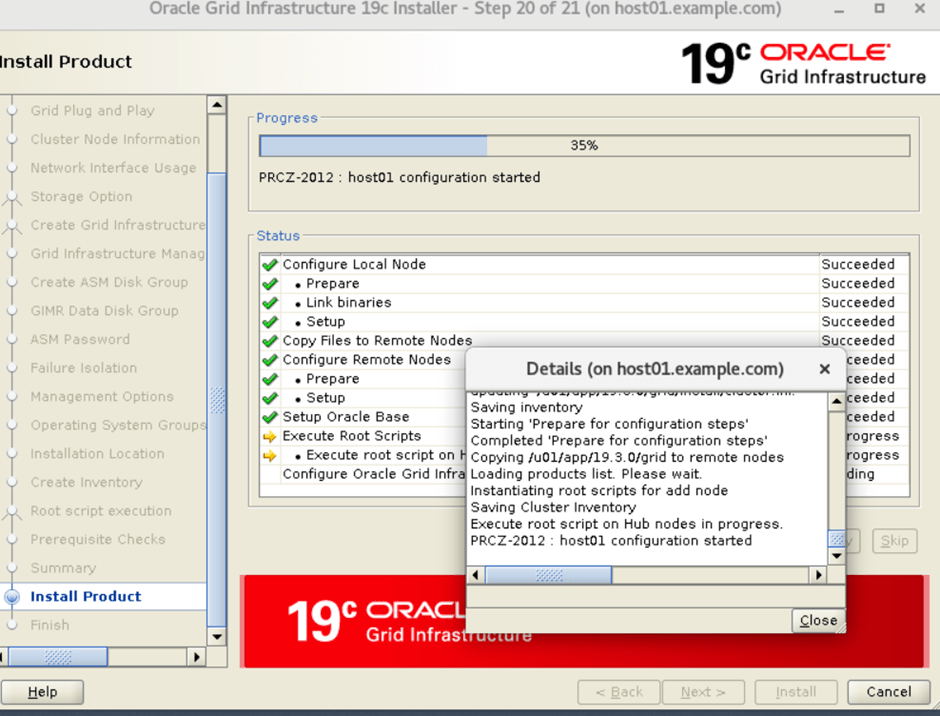
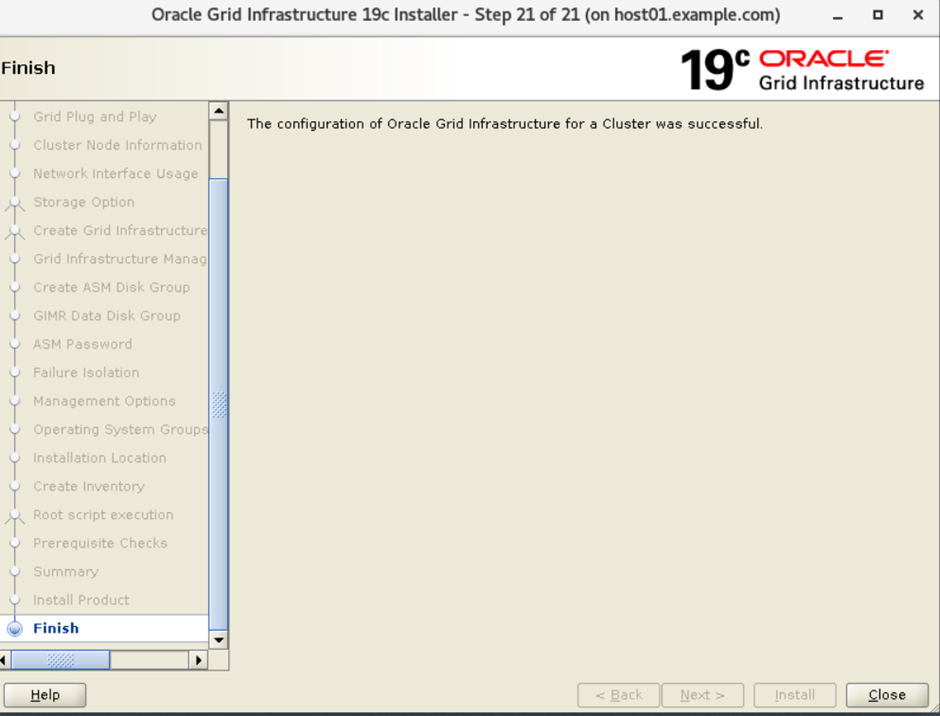
24. Grid installation finished.