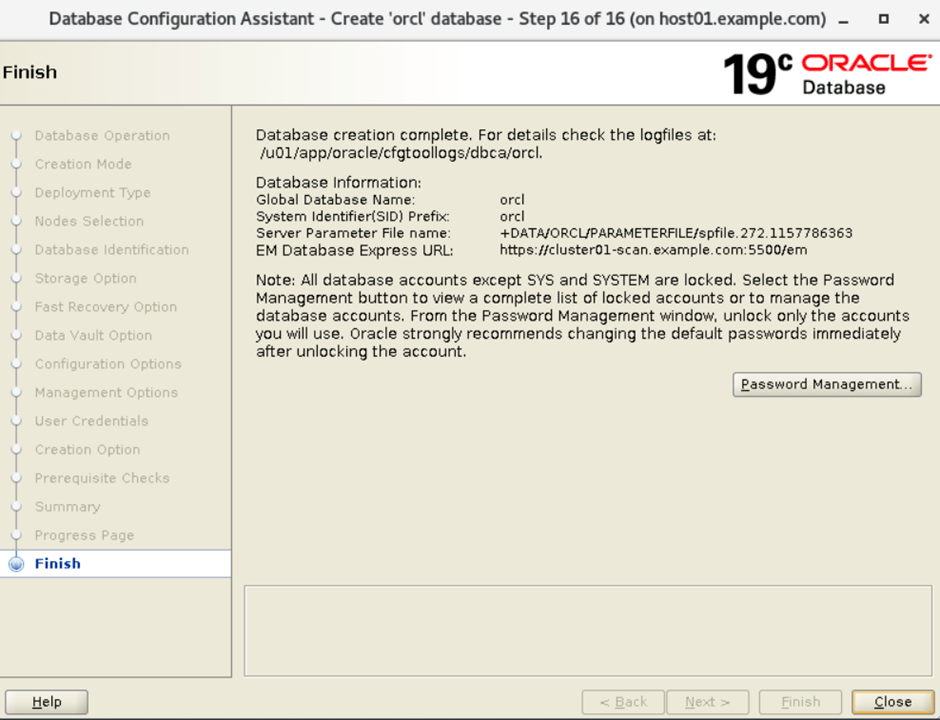
Create a RAC database after setup the database software in Oracle RAC infrastructure
Firstly Grid installation: Oracle grid installation steps in Oracle RAC Setup
Secondly database software installation:Install the RAC database software in Oracle
Third, Now we are going to create a RAC database with DBCA utility. Following are the steps with snapshot of dbca utility.
- Go to the bin directory or set the path variable with software location.
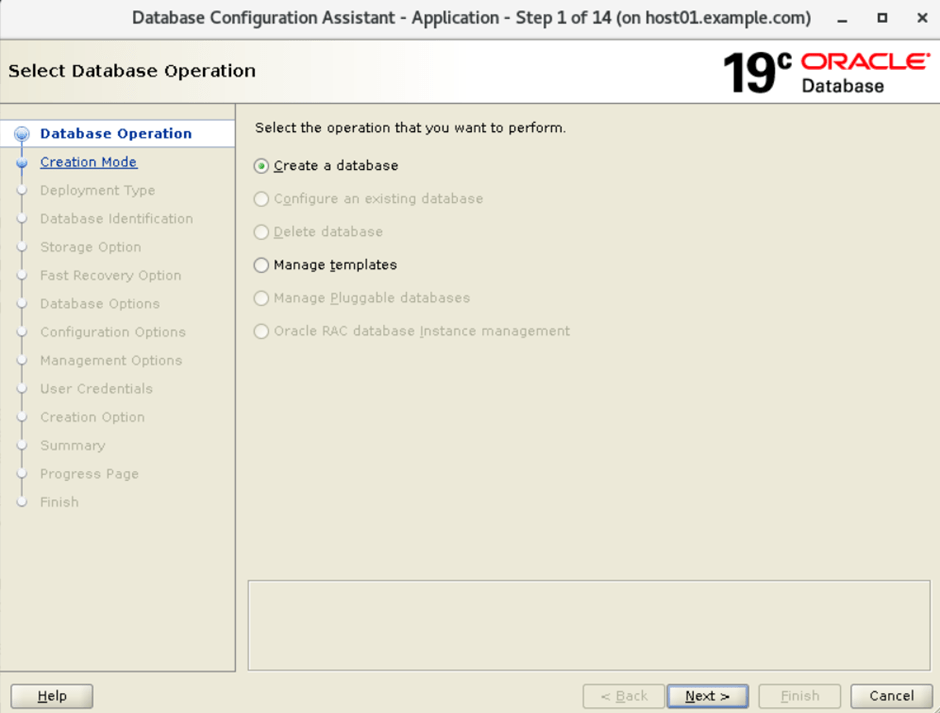
- Run the DBCA utility to create a new database. Select the option for create a database.
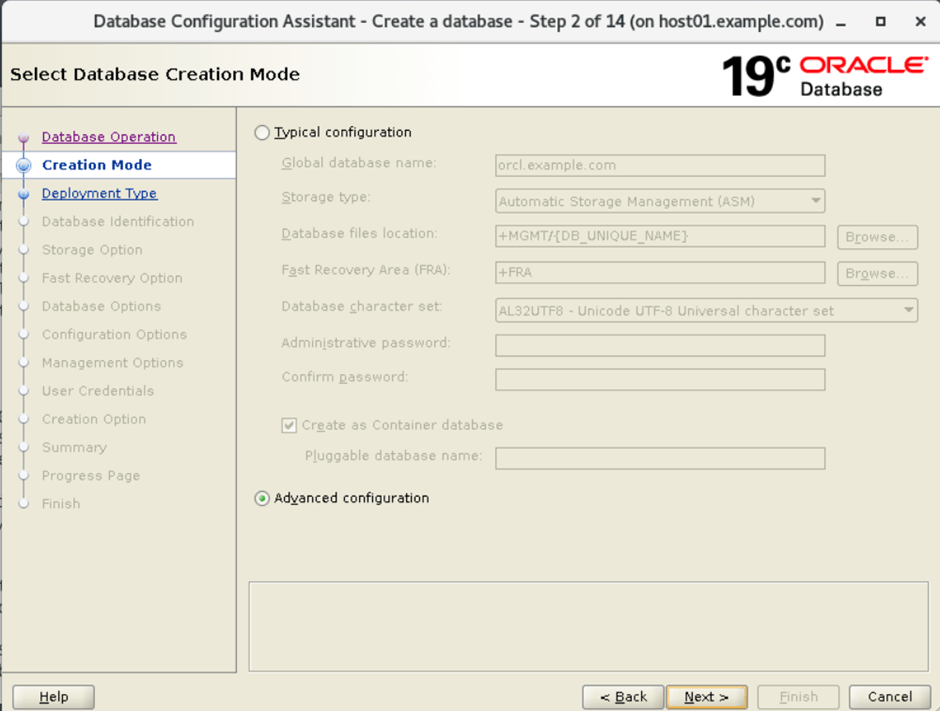
3. Select the database creation Mode in Oracle:
4. Select database deployment type:

5. Select the list of Nodes for installation:

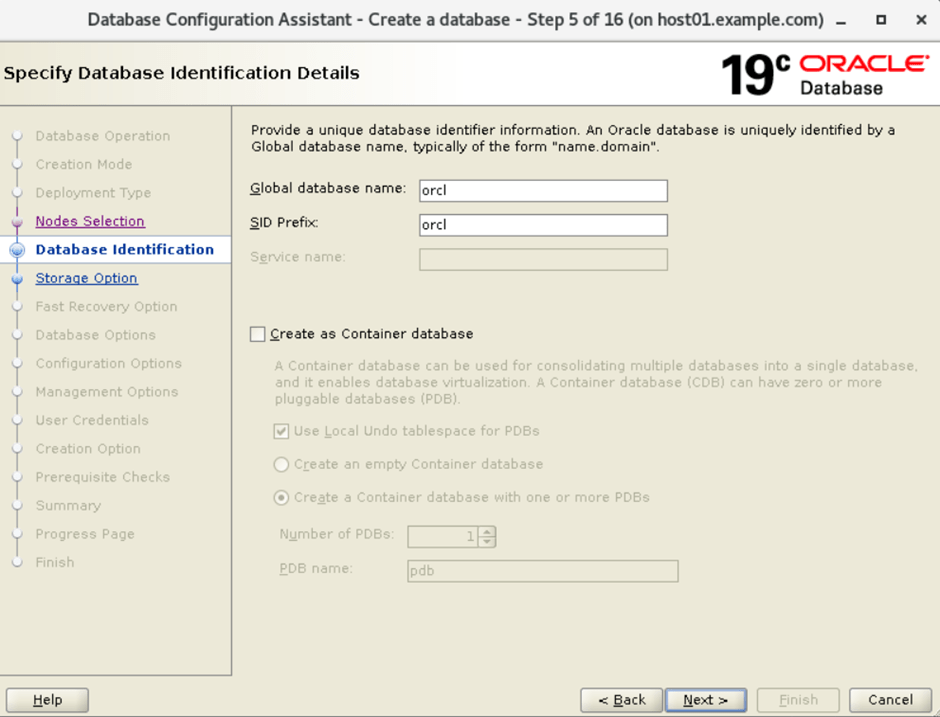
6. Specify the database identification details
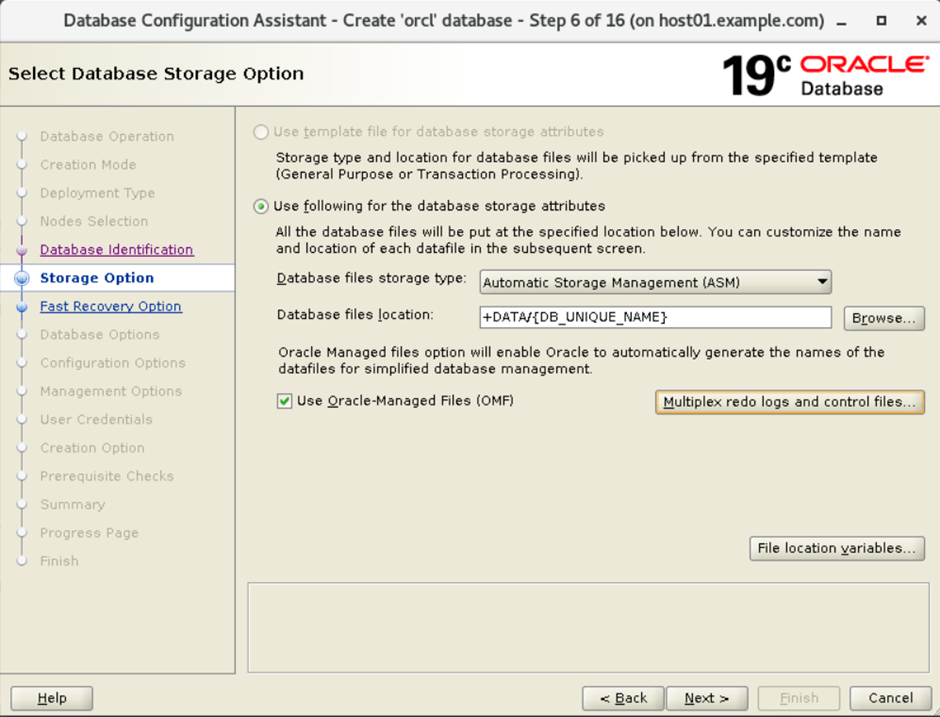
7. Select database storage option:
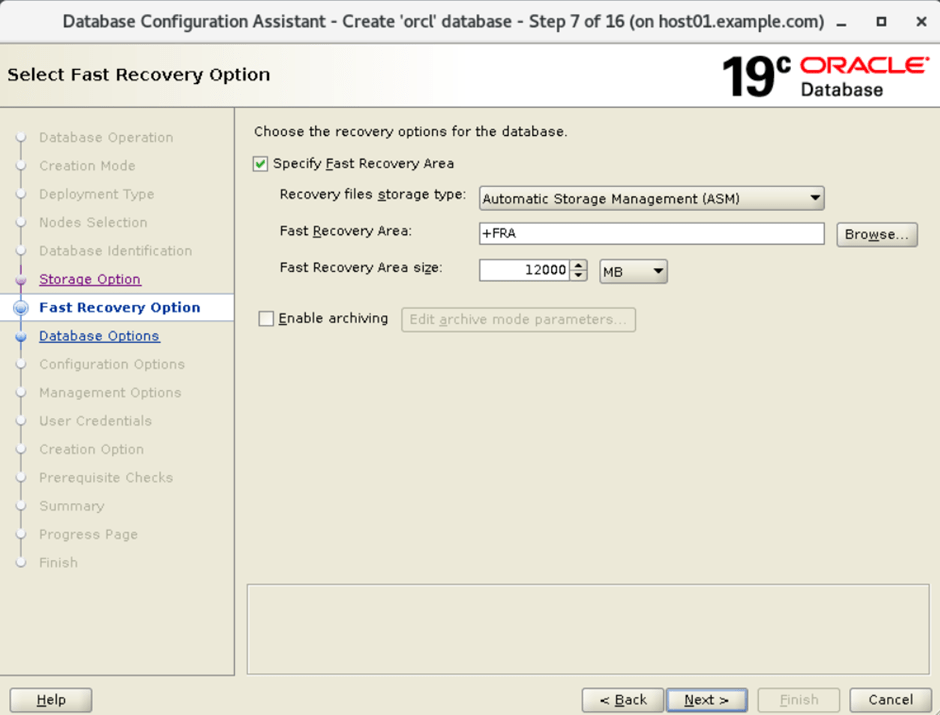
8. specify the fast recovery option:
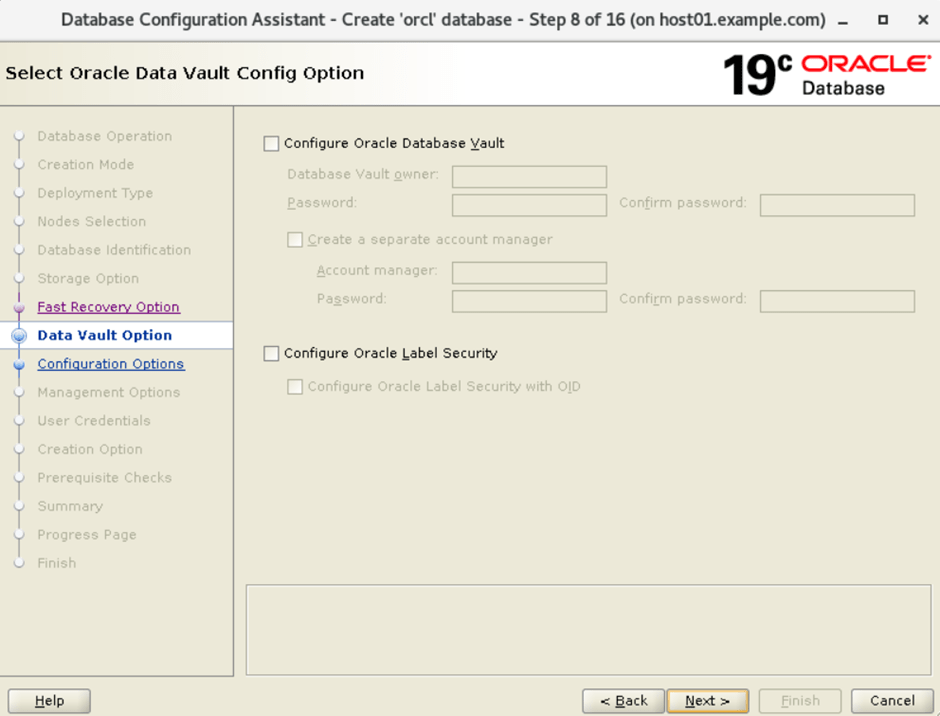
9. Select oracle data vault config option:
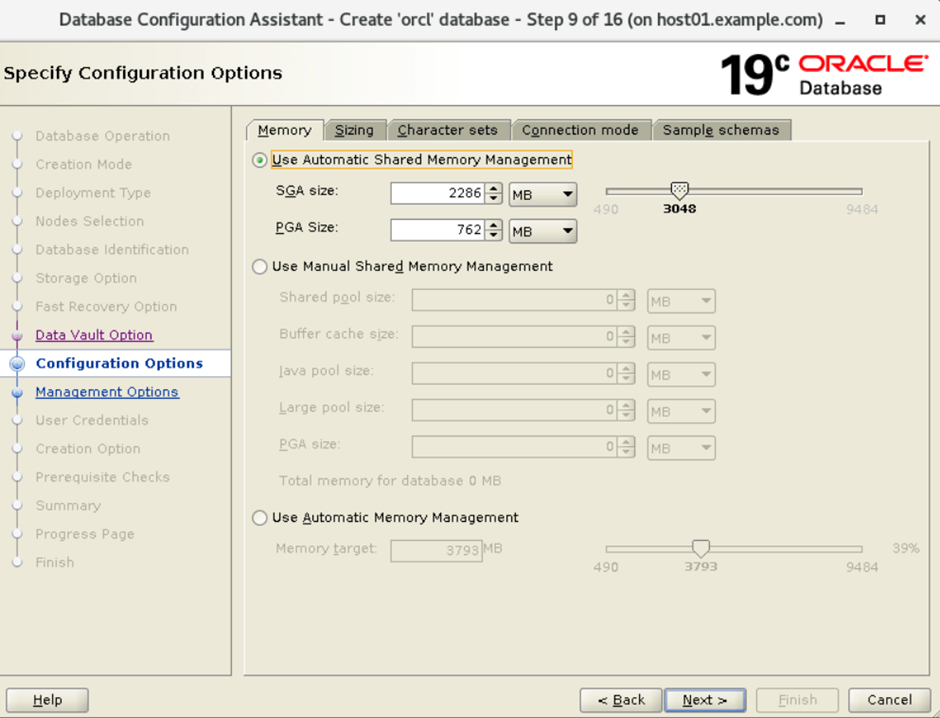
10. Specify the configuration options for the memory tab:
11. Specify configuration options for sizing.
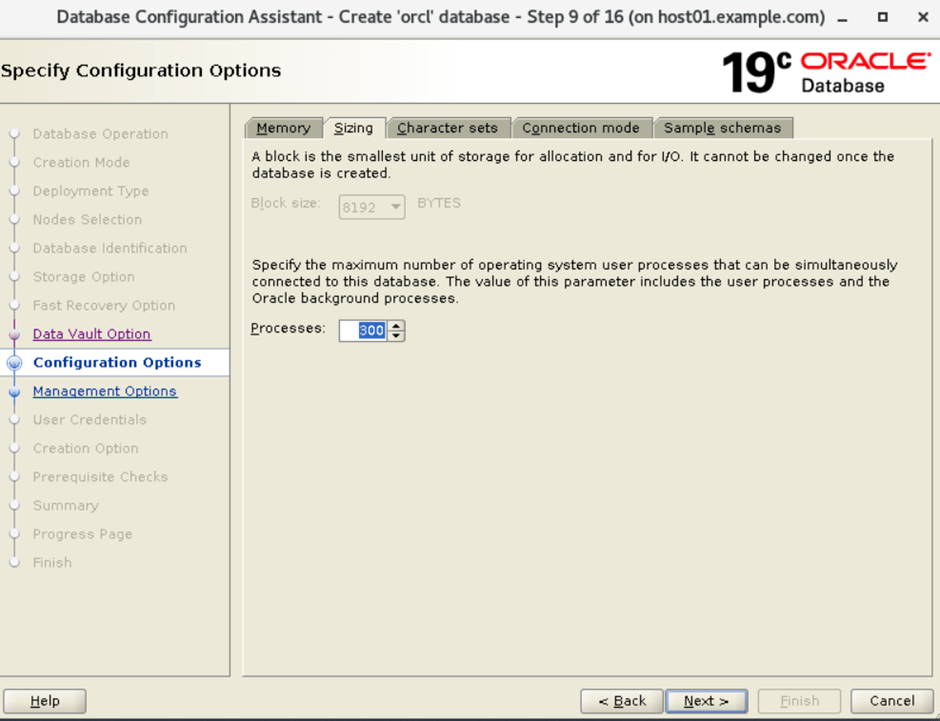
12. Specify configuration options for character sets.
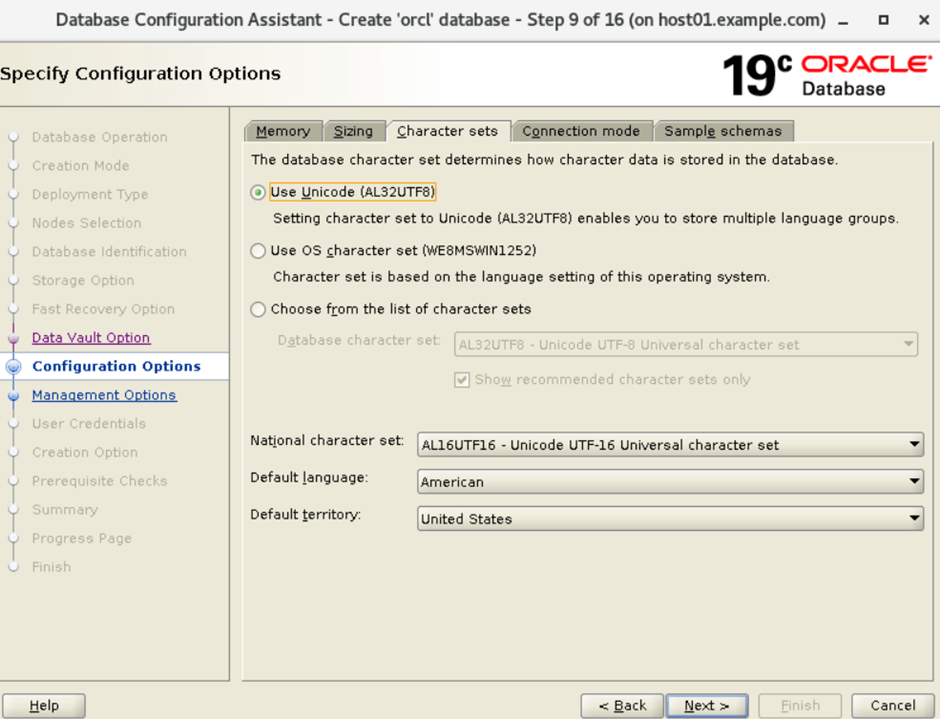
13. Specify configuration options for connection mode.
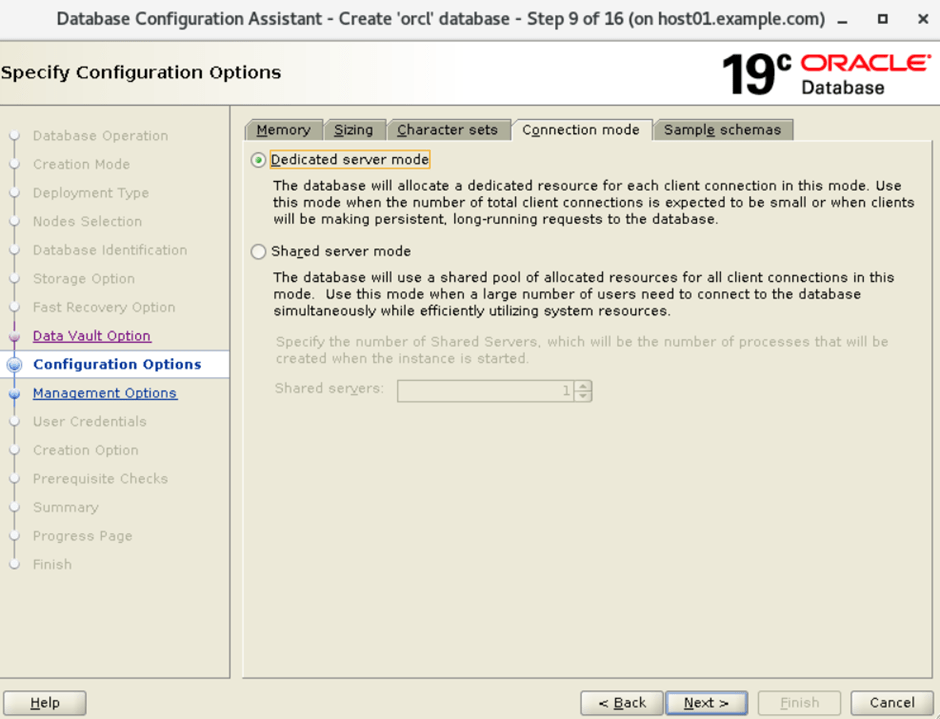
14. Specify configuration options with Sample schemas:
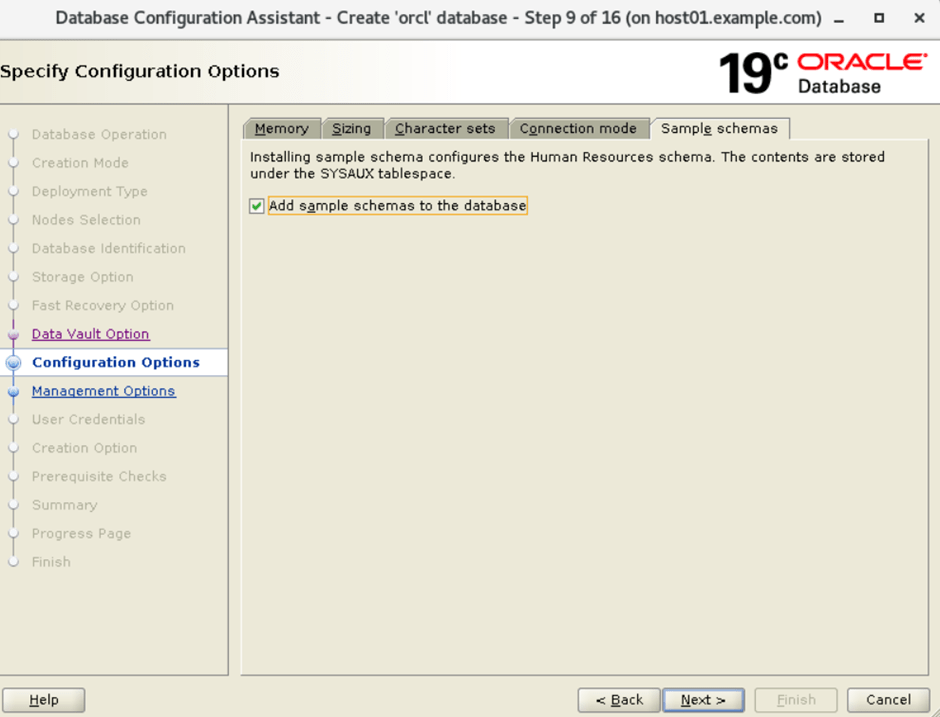
15. Specify management options : Configure the enterprise manager database express editions
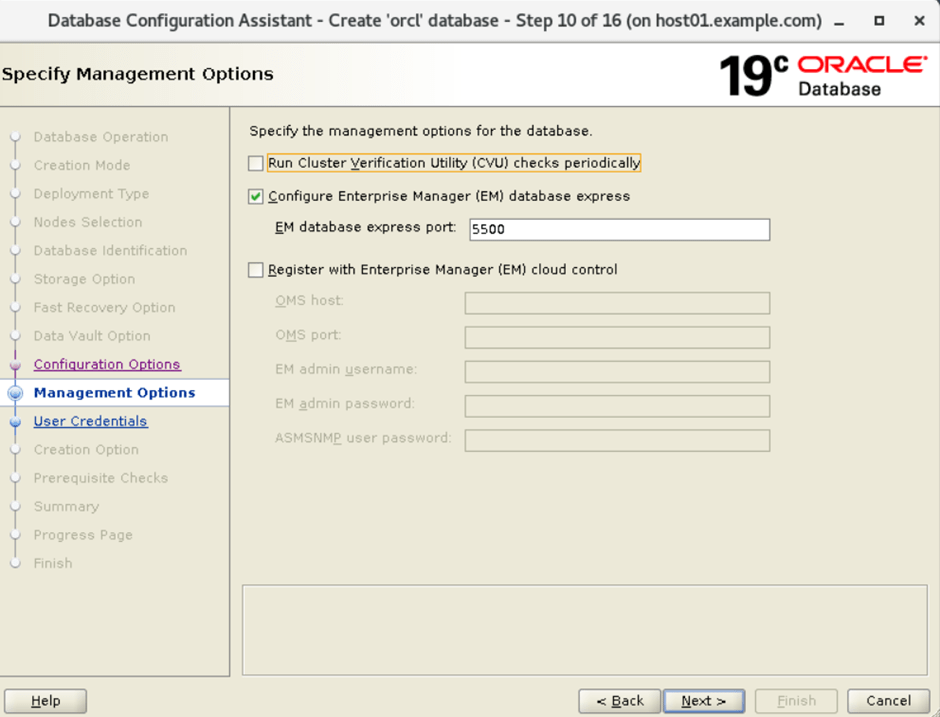
16. Specify database user credentials:
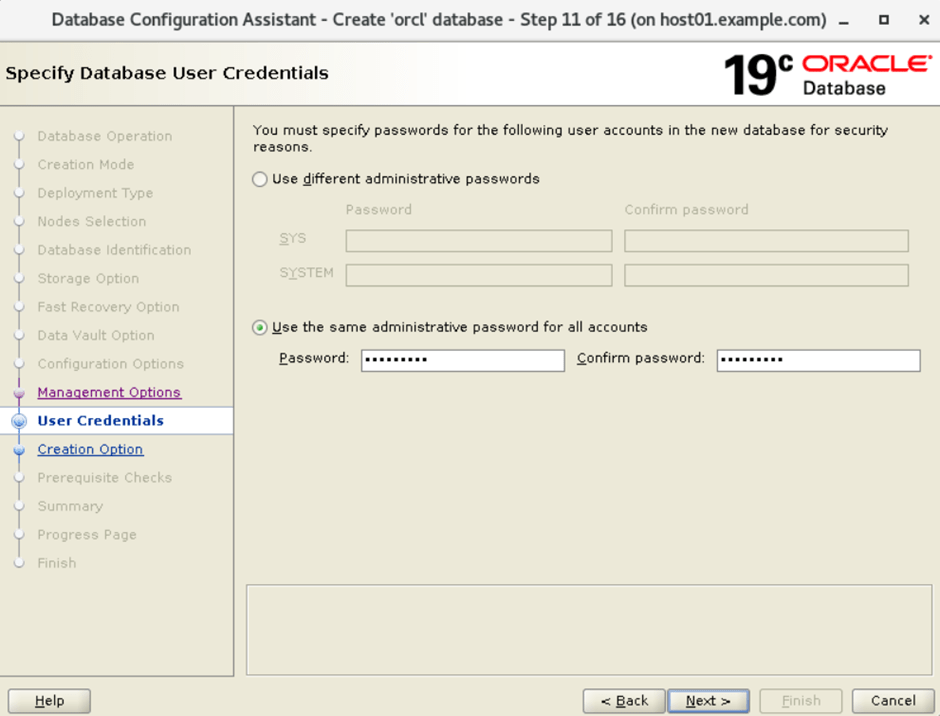
17. Select database creation options:
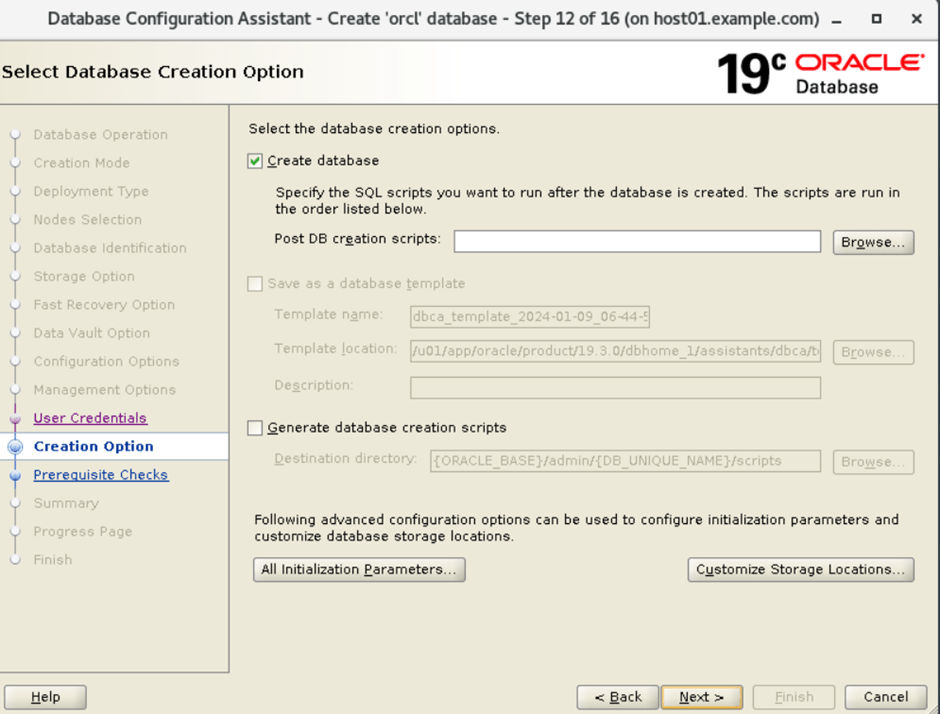
18. Perform prerequisite checks for installation of oracle database:
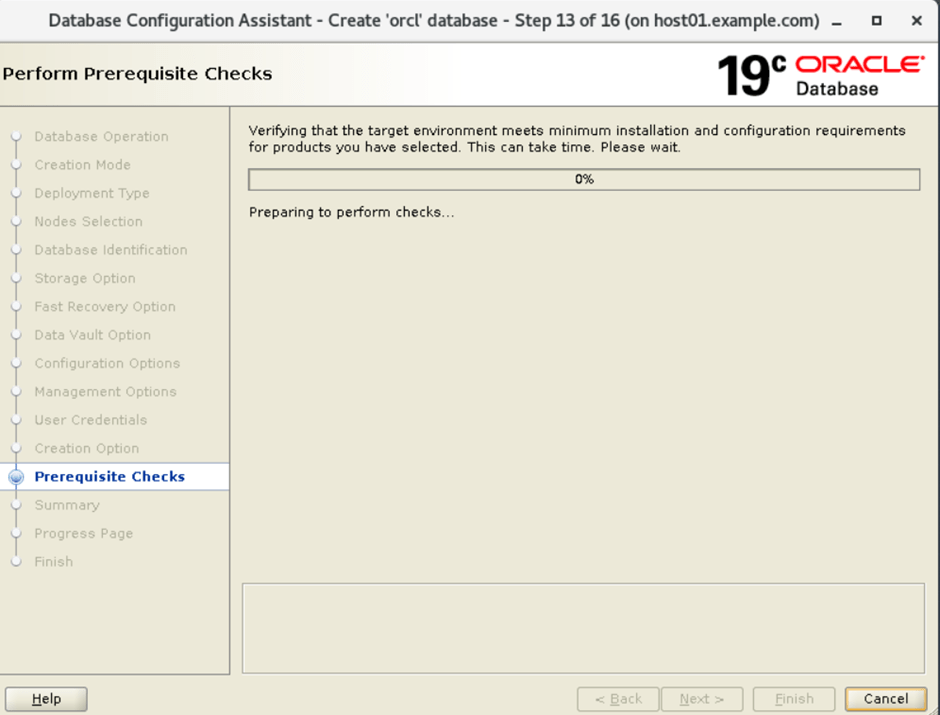
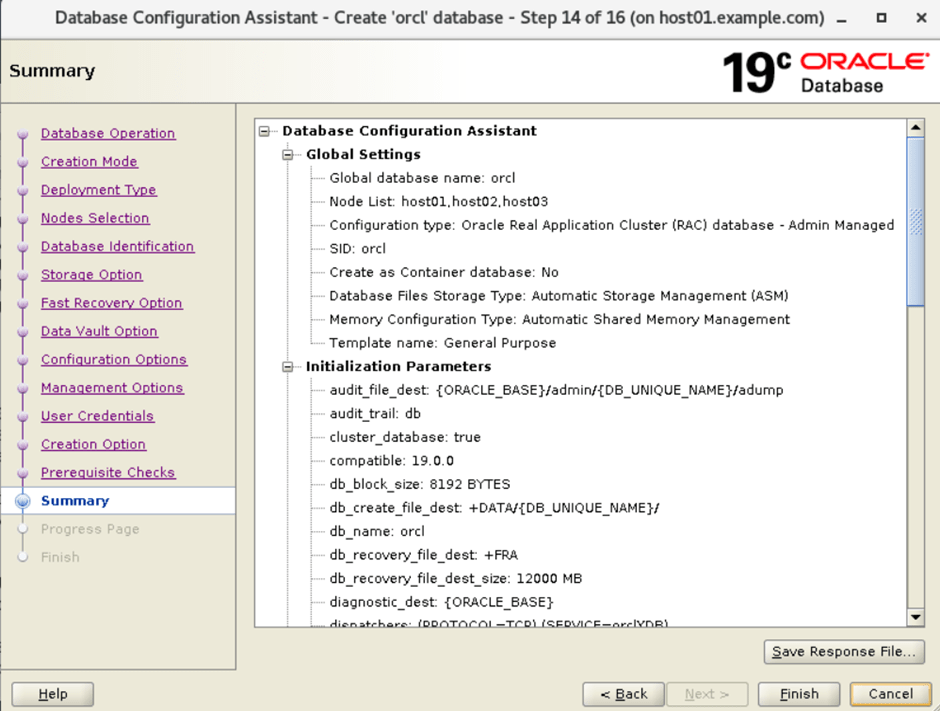
19. Summary of installation of database:
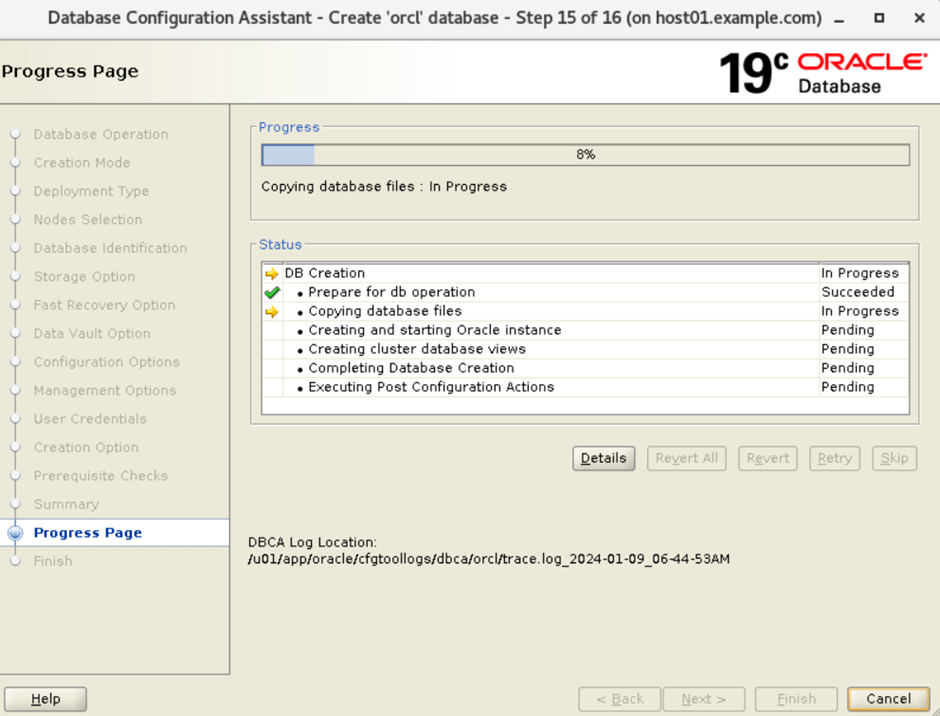
20. Installation of Oracle database is in progress.
21. Finish.