The ROWNUMBER function in DAX is a useful tool for generating sequential numbers in a dataset. It’s great for ranking, ordering, and identifying unique rows. In this blog post, we’ll look at different ways to use ROWNUMBER with practical examples to show its potential.
Understanding ROWNUMBER
The ROWNUMBER function creates a sequential number for each row in a table based on a specified order. It is commonly used with other DAX functions for complex data tasks.
Syntax
ROWNUMBER([RELATION], [ORDERBY], [BLANKS], [PARTITIONBY],[MATCHBY],[RESET])Its repeating the number for same value by using as:
Column = ROWNUMBER(orderby(FactInternetSales[OrderDate]))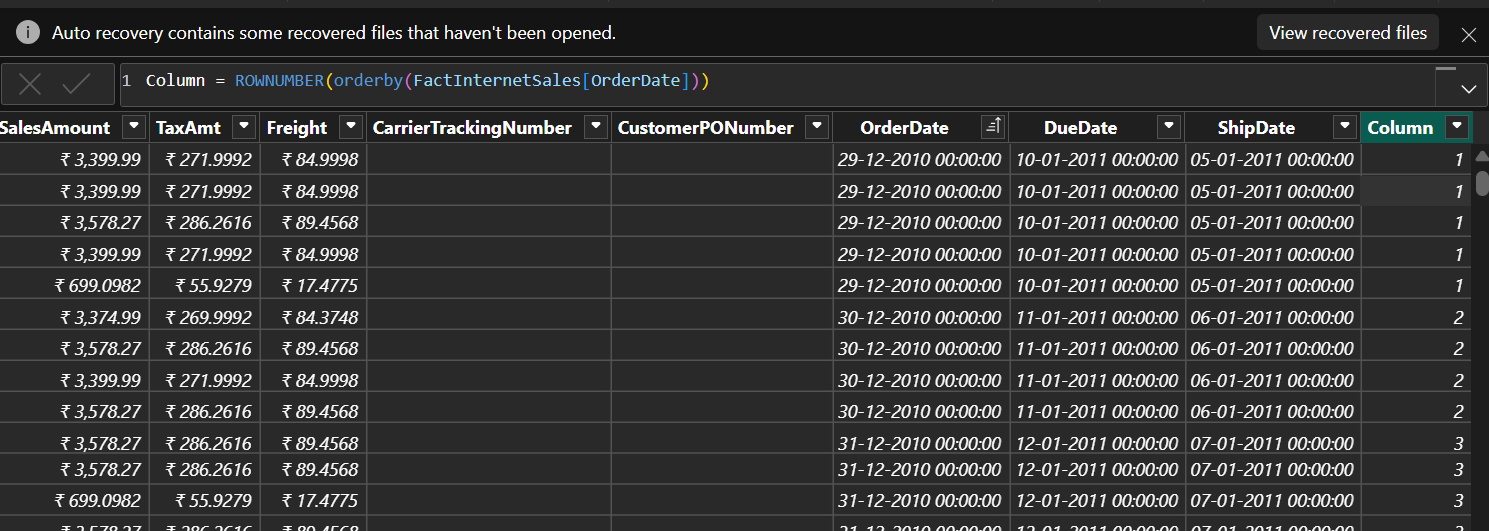
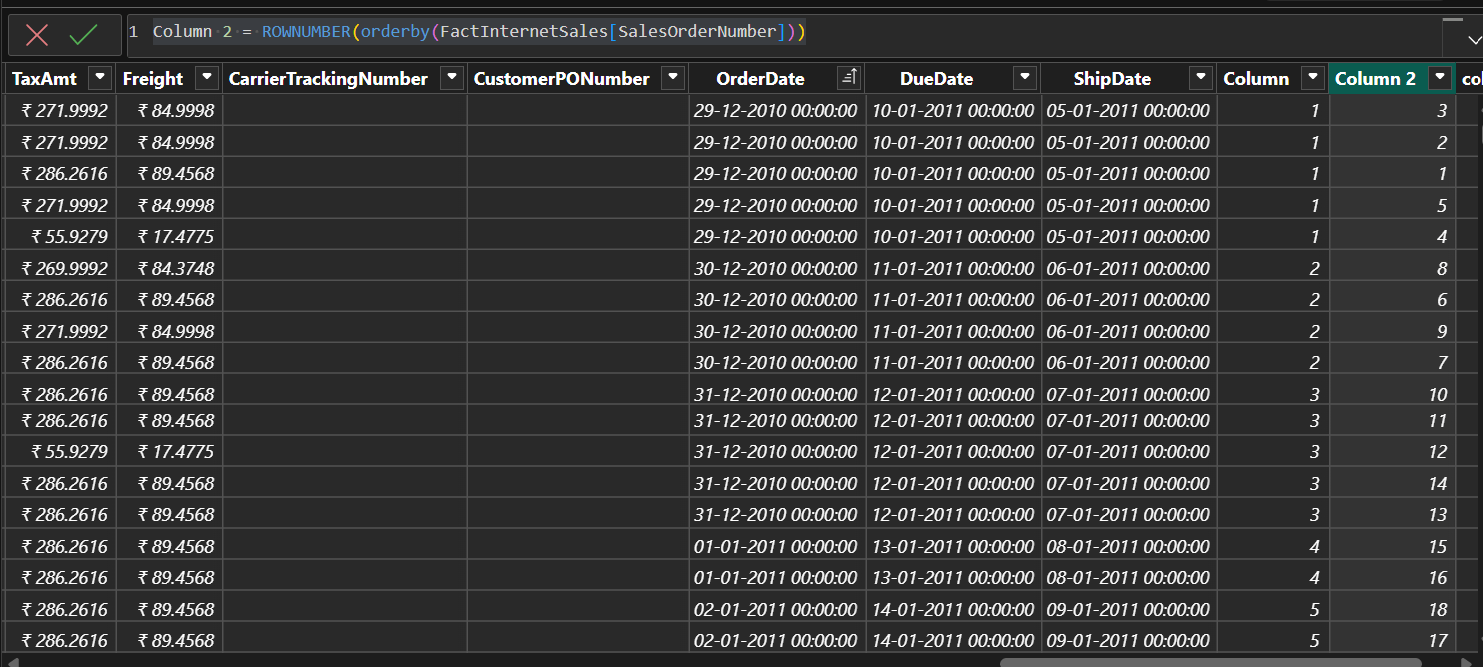
use a unique column in above statement cannot give repeated number otherwise used combination of columns to provide unique row number:
Column 2 = ROWNUMBER(orderby(FactInternetSales[SalesOrderNumber]))OrderNumber is unique number in this sales table
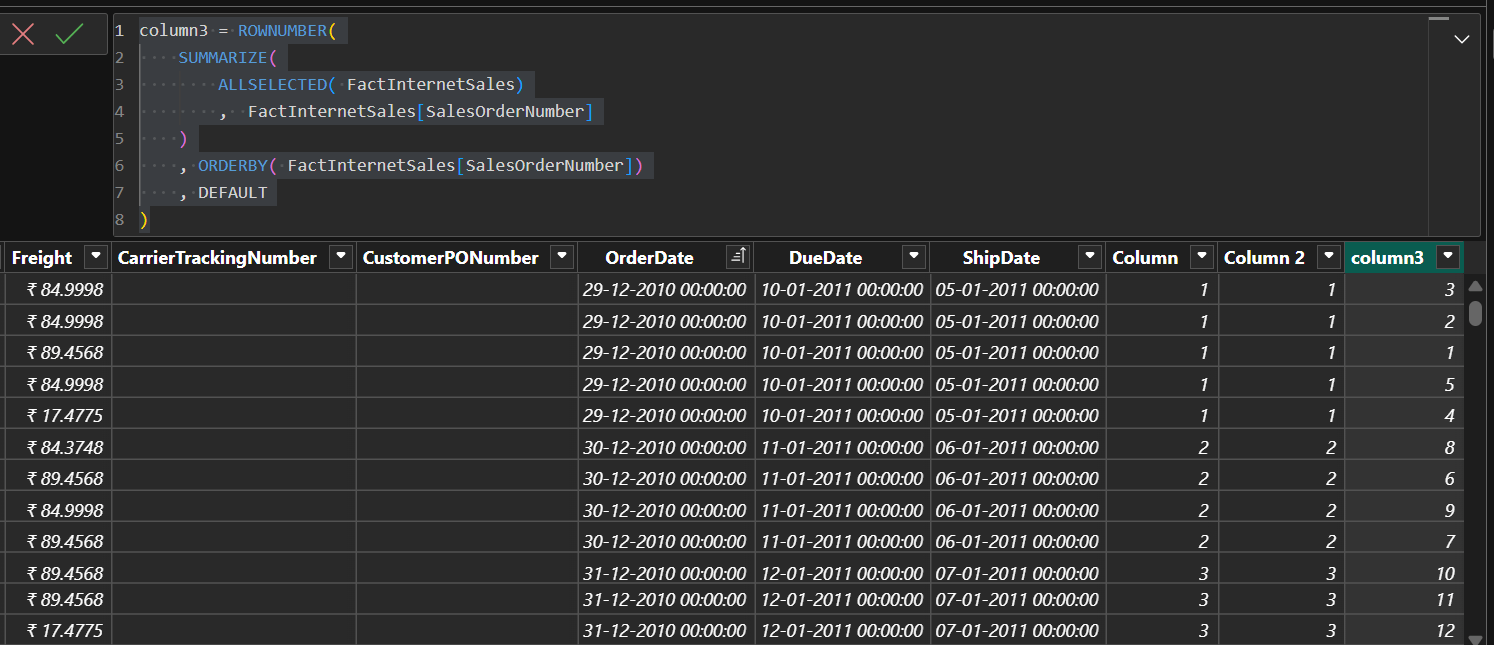
For give each row a unique number we need to check it following function
 column3 = ROWNUMBER(
    SUMMARIZE(
        ALLSELECTED( FactInternetSales)
        ,  FactInternetSales[SalesOrderNumber]
    )
    , ORDERBY( FactInternetSales[SalesOrderNumber])
    , DEFAULT
)