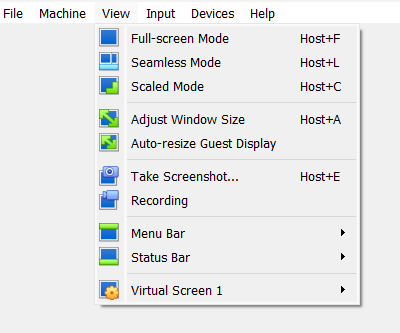
Switch between view mode in Oracle VirtualBox

Change view mode – FULL Mode, Scaled Mode in Oracle VirtualBox

Change the view mode on the running virtual machine.

FULL SCREEN MODE — Host Key(Right Ctrl Key) + F

SEAMLESS MODE — Host Key(Right Ctrl Key) + L

SCALED MODE — Host Key( Right Ctrl Key) + C

Unknown's avatar

Author: SandeepSingh

Hi, I am working in IT industry with having more than 15 year of experience, worked as an Oracle DBA with a Company and handling different databases like Oracle, SQL Server , DB2 etc Worked as a Development and Database Administrator.

Leave a Reply

Discover more from SmartTechWays - Innovative Solutions for Smart Businesses

Subscribe now to keep reading and get access to the full archive.

Continue reading