How to increase the disk size in VirtualBox Machine Oracle

How to increase the disk size in VirtualBox Machine Oracle

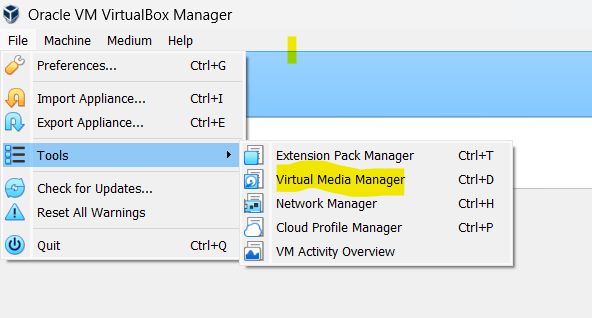
Go to file –> Tools –> Select the Virtual Media Manager

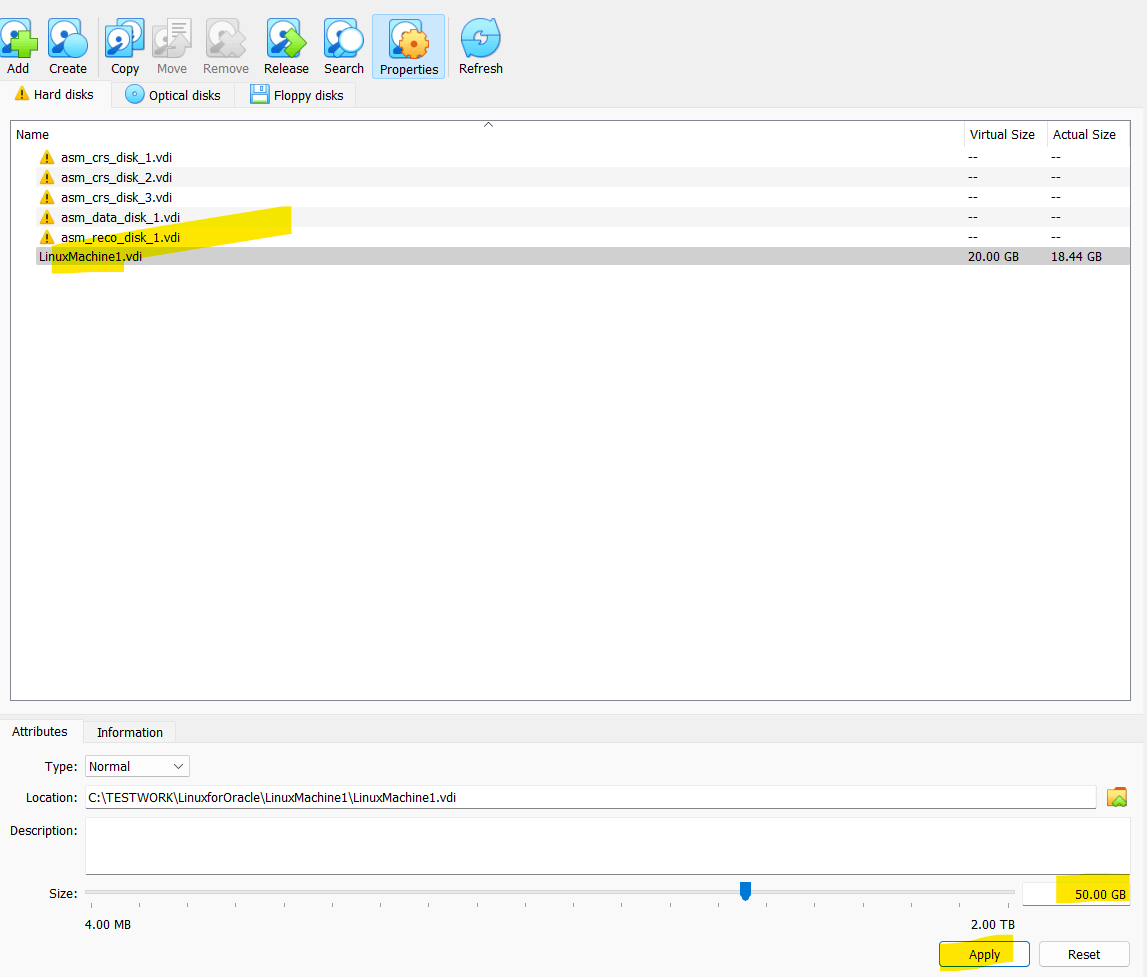
Open the Virtual Media Manager and select the drive you want to increase the size

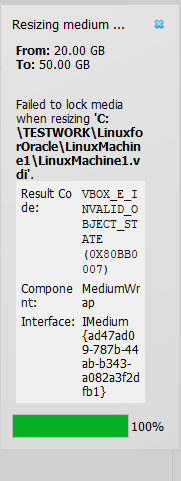
Apply the resize, it will increase your disk size of virtual machine. You can start the machine and check.

This entry was posted in Oracle on by .
Unknown's avatar

About SandeepSingh

Hi, I am working in IT industry with having more than 15 year of experience, worked as an Oracle DBA with a Company and handling different databases like Oracle, SQL Server , DB2 etc Worked as a Development and Database Administrator.

Leave a Reply