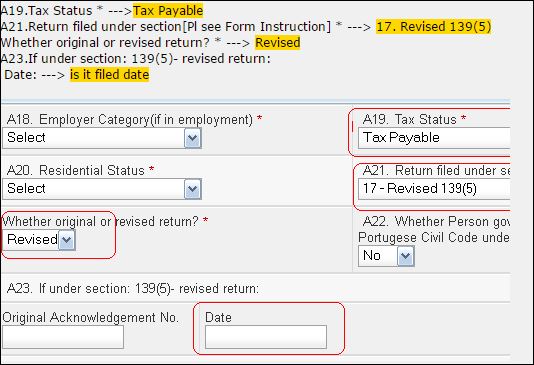
Procedure to filled online Tax
For Filling online Tax, You need to submit the Challan No for the tax
Note: IF you are salaried employee then fill the challan No: 280
1. Go to the following website
https://onlineservices.tin.egov-nsdl.com/etaxnew/tdsnontds.jsp
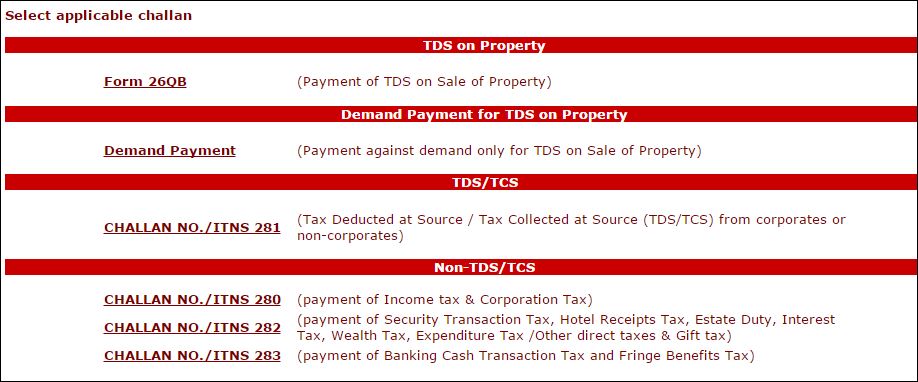
2. Fill the form if you are salaried employee
select “0021 option” for individual and if having company then select “0020 option”
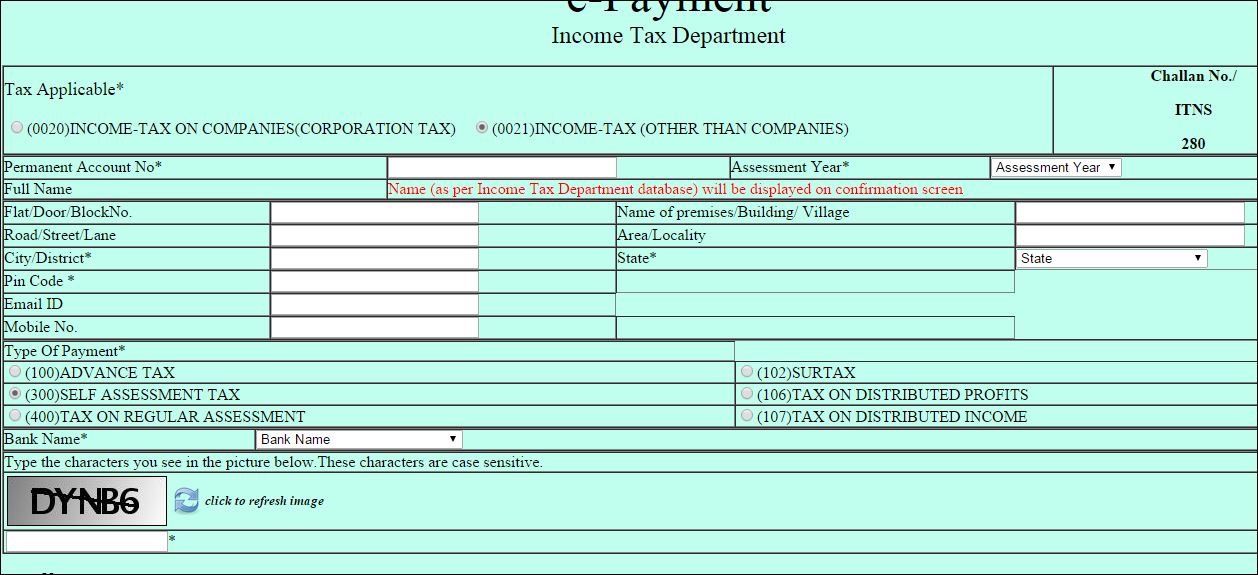
Note: Please ensure that PAN No is correct.
3.
After entering all the details, click on PROCEED button.
The system will display the contents you have entered along with the
“Name” appearing in the Income Tax Department database with respect to the PAN
entered by you.
4. If you want to edit than use EDIT button otherwise Click on Submit Button
5. Then you will directed to net banking site for payment.
Note: tax should be paid before filing the return. IF you have filed then pay the tax and then you need to fill revised return