To reset the PostgreSQL database password using OS authentication, follow these steps if you forget the Postgres user’s password while trying to log in.
Error:
C:\Program Files\PostgreSQL\18\bin>psql -U postgresPassword for user postgres:psql: error: connection to server at "localhost" (::1), port 5432 failed:FATAL: password authentication failed for user "postgres"

Solution:
Reset password using pg_hba.conf
Step 1: Go to C:\Program Files\PostgreSQL\<version>\data\.
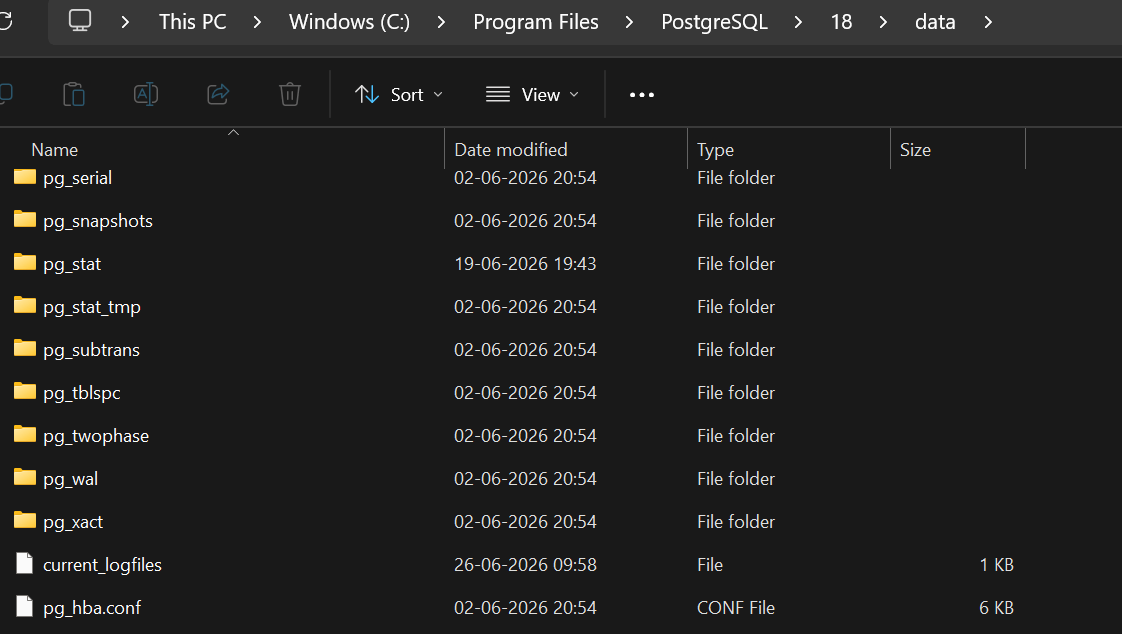
Step 2: Back up the file pg_hda.conf as pg_hda.conf_bkp by copying it.
Step 3: Open the pg_hda.conf file in Notepad.
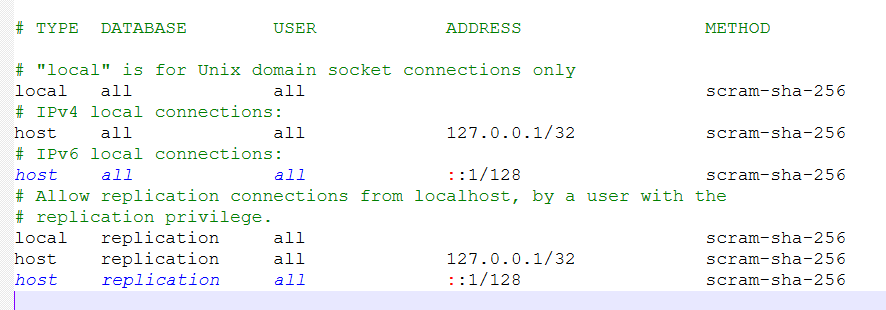
Step 4: Change the authentication to allow login without a password, using scram-sha-256 or md5 –> trust. Save the file.
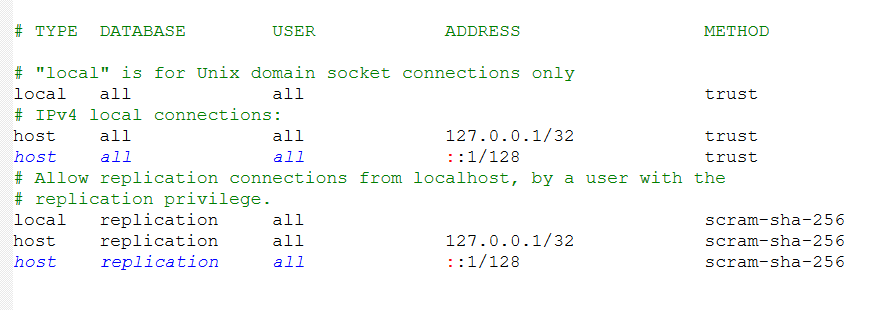
Step 5: Restart PostgreSQL.
Step 6: Log in to the PostgreSQL server.
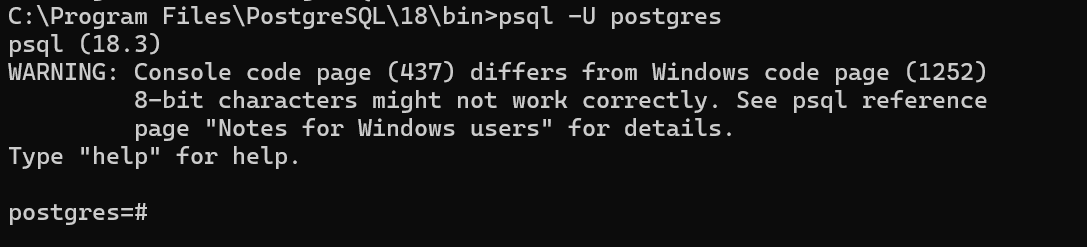
Step 7: Update the postgres user password.
ALTER USER postgres WITH PASSWORD 'sys123';

Step 8: Restore for security reason (VERY IMPORTANT)
Go back to pg_hba.conf file and change again trust to scram-sha-256
Step 9: Restart the Postgres service.