Error: During running the duplicate command for backup, the following error occur
RMAN-05001: auxiliary file name F:\TEST\ORACLE19\ORADATA\PEGA\BB69D5F698D94116A5A55E7EEBEA2BA9\DATAFILE\O1_MF_USERS_MBNM725D_.DBF conflicts with a file used by the target database

Solution: In DB_FILE_NAME_CONVERT command use the full path of ora directory.
In following example, datafiles are manager by OMF. So just give the directory path of source and destination.
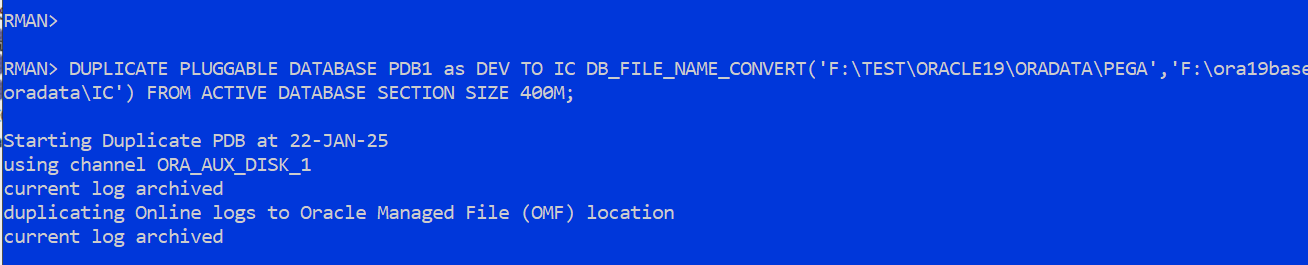
If there is no change in file path of source and destination then you can Add “NOFILENAMECHECK” option into duplicate RMAN command:
if you have files at different location then use as DB_FILE_NAME_CONVERT and LOG_FILE_NAME_CONVERT by providing each different source and destination location e.g
DB_FILE_NAME_CONVERT = 'string1' , 'string2' , 'string3' , 'string4'
Where:
string1is the pattern of the primary/Source database filenamestring2is the pattern of the standby/destination database filenamestring3is the pattern of the primary/Source database filenamestring4is the pattern of the standby/destination database filename