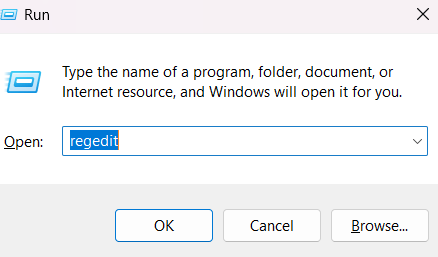
A. Press the Win + R to open the RUN dialog box.
B. Type the regedit on text box of RUN dialog box and press Enter.

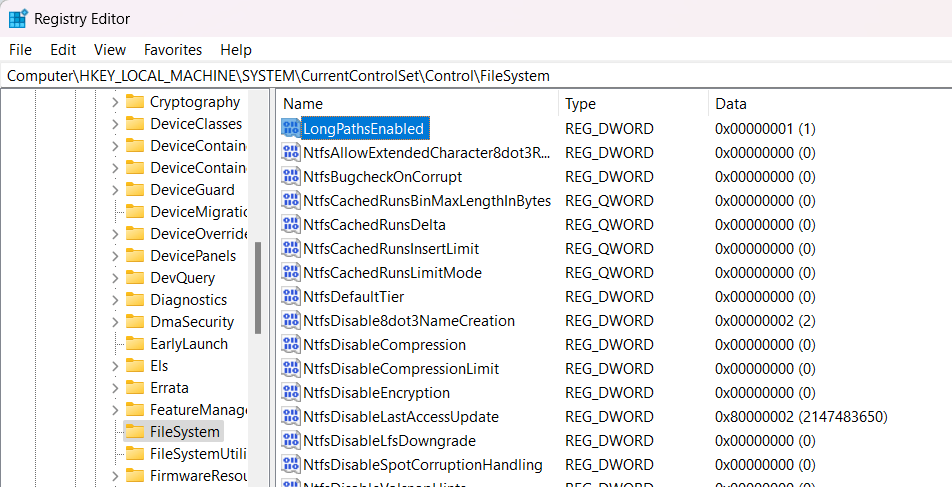
C. Navigate to following location: Computer\HKEY_LOCAL_MACHINE\SYSTEM\CurrentControlSet\Control\FileSystem
D. Set the LongPathsEnabled to 1.

E. Close the Registry Editor and restart your computer.
Related