Check SQL stress test for Query or Procedure in SQL Server
Download the Stress tool: SQLQueryStress
https://github.com/ErikEJ/SqlQueryStress/releases
Install the SQL Query Stress tool
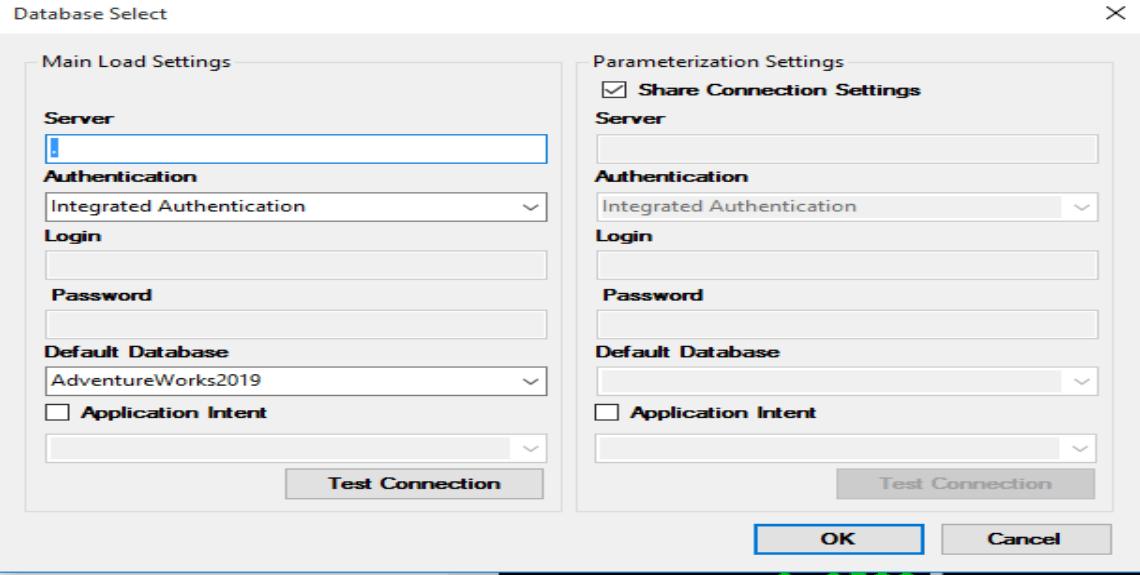
Click on the Database button to make a connection with the Database. Enter the connection detail of database and test the connection.
Run the Stress test for SQL Query by choosing Number of Iterations and Number of Threads running parallel as shown below and press the GO button to start the Stress test for SQL query or Procedure etc.
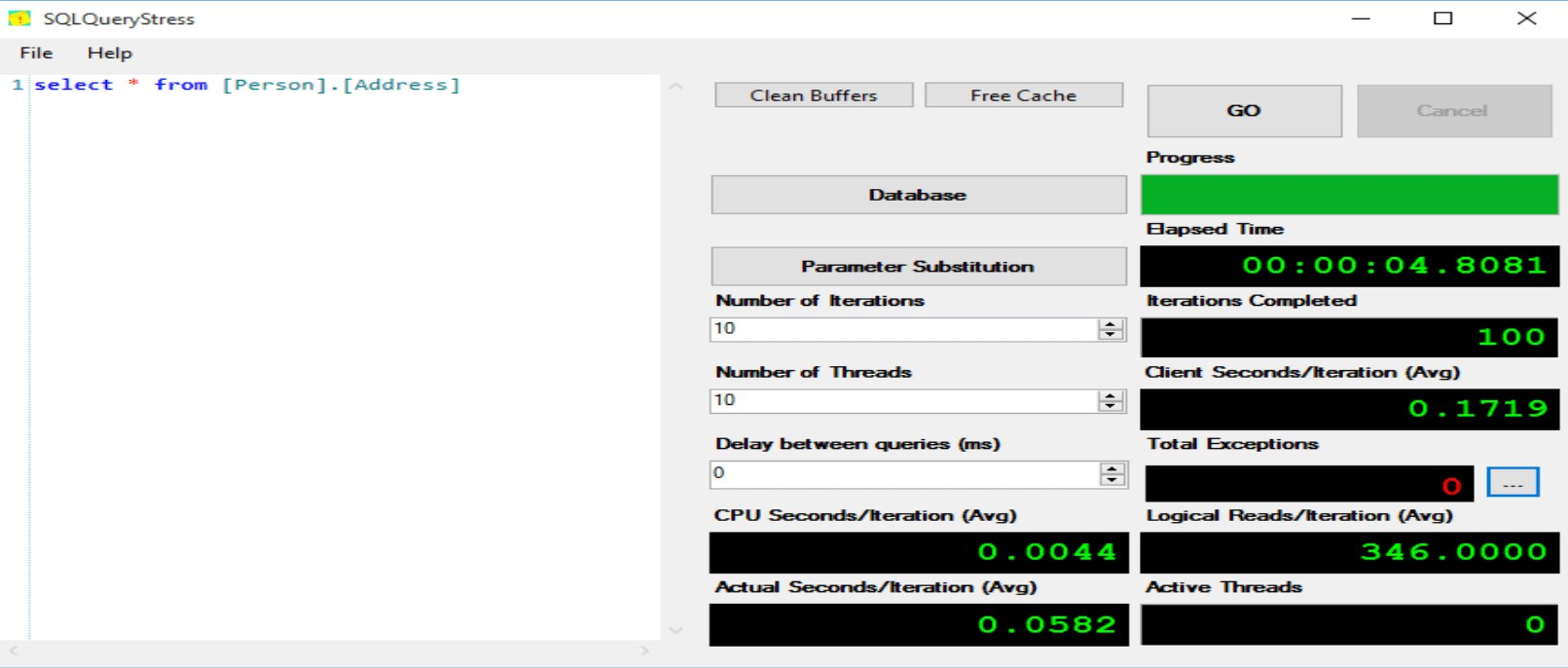
It will show you the detail of SQL query taking actual time and you can check with different hints to optimize the SQL Query which will give you the better results.